Table Of Content
- 🔥 Huge Savings & Special Offers
- Why AI Note-Taking Matters
- How Hey Pocket Fits Into Smarter Note-Taking
- Key Features of Hey Pocket AI Note-Taking
- 1. Conversation Recording and Transcription
- 2. AI Summaries and Key Points
- 3. Action Items and Mind Maps
- 4. Searchable and Organized Notes
- What to Consider Before Choosing Hey Pocket
- Pricing, Shipping, and Subscription Considerations
- 💎 Limited-Time Offers & Special Deals
- Frequently Asked Questions
- What is Hey Pocket AI note-taking?
- Can Hey Pocket record meetings?
- Does Hey Pocket work with smartphones?
- Can AI notes replace handwritten notes?
- Are AI-generated meeting summaries always accurate?
- Conclusion
Taking notes by hand can make it difficult to stay focused during meetings, interviews, lectures, and everyday conversations. You might capture the main points but miss important details while writing. Later, finding a specific idea or remembering who agreed to complete a task can become another challenge.
AI note-taking offers a practical way to make conversations easier to review. Instead of trying to write everything down, you can use a recording device and an accompanying app to create transcripts, summaries, and organized notes.
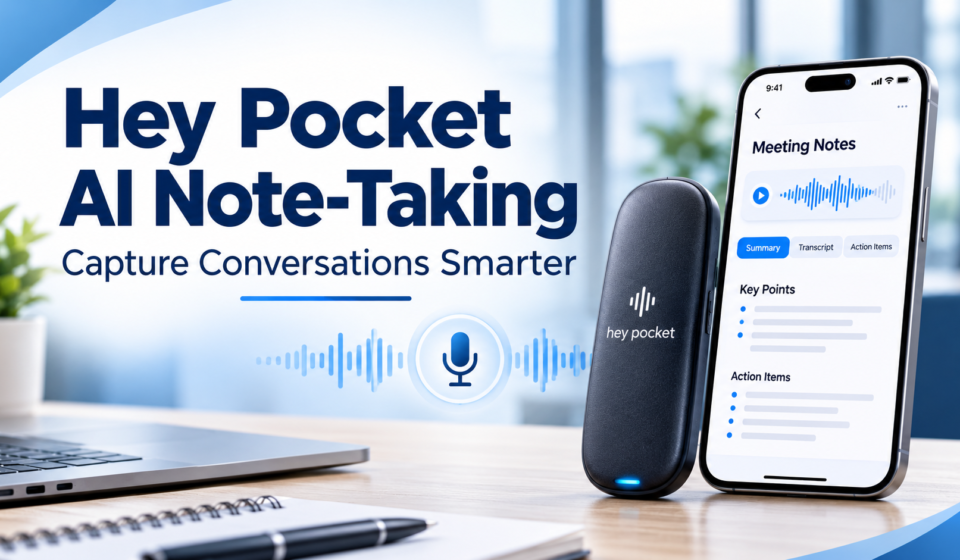
Hey Pocket AI note-taking is designed to help people capture conversations and turn spoken information into useful records. Its compact recording device and AI-powered features offer an alternative to traditional note-taking, particularly for people who regularly attend meetings or work with detailed discussions.
🔥 Huge Savings & Special Offers
Why AI Note-Taking Matters
Good notes help you remember key details, understand decisions, and manage tasks.
Traditional note-taking has some limitations:
- Divides attention while listening.
- May miss important details.
- Long notes are hard to organize.
- Finding information takes time.
- Important action items may get lost.

AI note-taking can help address these challenges by converting recorded conversations into searchable text and structured summaries.
However, automated notes are not a replacement for careful judgment. Transcription systems can misunderstand names, technical language, or unclear speech. Reviewing important details before sharing or acting on them remains essential.
How Hey Pocket Fits Into Smarter Note-Taking
Hey Pocket offers a compact AI recording device that works with its companion app. The system is designed to capture conversations, generate transcripts, and organize information into summaries and action items.
Rather than requiring you to type continuously, the device allows you to focus on the discussion while recording. Afterward, you can review the information in the app.
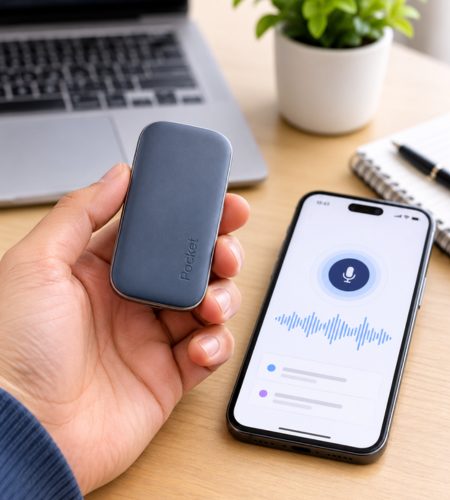
According to the official product information, Pocket supports in-person conversations and phone calls, with separate microphones for different recording situations. The device also works with iOS and Android, and its web app provides another way to access captured information.
This approach can be useful for professionals, students, creators, and anyone who wants a more organized way to manage conversations.
Key Features of Hey Pocket AI Note-Taking
1. Conversation Recording and Transcription
Pocket is designed to capture spoken information and convert it into text. This can make it easier to review discussions without listening to an entire recording again.
Transcripts may be especially useful when you need to find a particular statement, revisit a discussion, or check what was said during a meeting.
2. AI Summaries and Key Points
Long conversations often contain background information, repeated ideas, and several important decisions. Pocket can generate summaries that highlight key points and help make the discussion easier to understand.
A summary can provide a useful starting point for reviewing a meeting, but it is still worth checking the original transcript when details matter.
3. Action Items and Mind Maps
Remembering what needs to happen next is one of the most important parts of effective note-taking.
Pocket is designed to identify action items from recorded conversations. Its mind map feature can also organize related topics into a visual structure.
These tools may help users turn a discussion into a clearer list of next steps instead of leaving important responsibilities buried in lengthy notes.
4. Searchable and Organized Notes
The Pocket app supports listening, tagging, searching, and sharing captured information. This can make previously recorded conversations easier to revisit.
Searchable notes are particularly useful for people who manage multiple projects, attend regular meetings, or collect ideas throughout the day.
What to Consider Before Choosing Hey Pocket
Hey Pocket may be worth considering if you regularly record meetings, brainstorms, or client conversations and want more than a basic voice recorder.
Its combination of recording hardware and AI features is designed to bring transcripts, summaries, and action items together in one workflow.
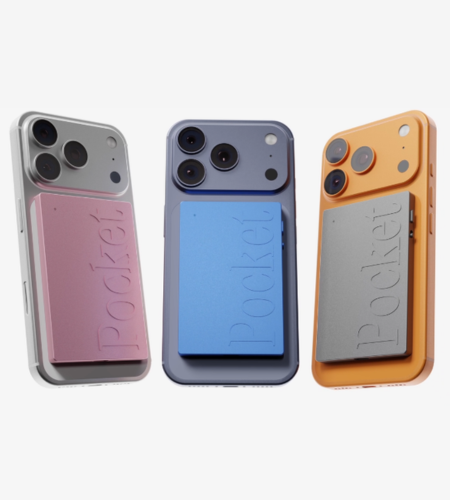
Before choosing it, consider the following advantages and limitations.
Potential advantages
- Helps reduce the need for continuous manual note-taking.
- Organizes conversations into transcripts and summaries.
- Provides tools for reviewing key points and action items.
- Supports different recording situations.
- Offers searchable access to saved information.
Things to consider
- AI-generated transcripts and summaries may require corrections.
- Recording conversations requires attention to consent and privacy.
- The device and any paid subscription features should fit your budget.
- Some users may prefer a simple recording app or handwritten notes.
The most useful choice depends on how frequently you record conversations and whether automated organization would improve your existing routine.
Pricing, Shipping, and Subscription Considerations
Hey Pocket’s official product page lists the Pocket recording device and provides details about its features, pricing, and available plans.
The company also describes a free plan and a paid Pro option. The free plan includes core transcription and summary features, while Pro provides additional capabilities.
Pricing and availability can change, so check the current official product page before making a purchase. Review the subscription terms carefully, particularly if you expect to use advanced features regularly.
Shipping coverage, delivery estimates, and return conditions should also be checked for your location. These details are important when comparing the device with other note-taking options.
💎 Limited-Time Offers & Special Deals
Frequently Asked Questions
What is Hey Pocket AI note-taking?
It is a recording and note-organization system that uses AI to turn conversations into transcripts, summaries, and action items.
Can Hey Pocket record meetings?
The device is designed to capture in-person conversations and phone calls. Always obtain any required consent before recording.
Does Hey Pocket work with smartphones?
The official product information states that Pocket works with iOS and Android devices and can also be accessed through its web app.
Can AI notes replace handwritten notes?
Not completely. AI notes can reduce manual writing, but handwritten notes may still be useful for personal observations, sketches, or information that requires interpretation.
Are AI-generated meeting summaries always accurate?
No. Automated systems can misunderstand speech or omit context. Review important information against the transcript or original recording.
Conclusion
Hey Pocket AI note-taking offers an alternative to writing every detail by hand. By combining conversation recording with transcripts, summaries, searchable notes, and action items, it is designed to make information easier to capture and revisit.
For people who regularly manage meetings, interviews, or brainstorming sessions, these features may help create a more organized note-taking routine. The best approach is to choose tools that fit your workflow, review AI-generated information carefully, and respect recording consent.
Explore Hey Pocket’s official website to review its current features, pricing, and compatibility before deciding whether it fits your note-taking needs.