
Table Of Content
- 🎉 Exclusive Deals & Special Savings
- Why VPN Speed and Server Locations Matter
- How NordVPN’s Global Server Network Work
- NordLynx: NordVPN’s Speed-Focused Protocol
- Other VPN Protocols Available
- OpenVPN
- NordWhisper
- IKEv2/IPsec
- How to Get Better Speeds With NordVPN
- Why Consider NordVPN for Everyday Browsing?
- NordVPN Pricing and Subscription Options
- Pros and Cons of NordVPN
- Pros
- Cons
- 💥 Limited-Time Offer & Huge Discounts
- Frequently Asked Questions
- 1. Is NordVPN fast enough for streaming?
- 2. Which NordVPN protocol is fastest?
- 3. How many server locations does NordVPN offer?
- 4. Does connecting to a nearby VPN server improve speed?
- 5. Can I change NordVPN servers whenever I want?
- Related Resources
- Conclusion
A fast internet connection makes everyday online activities easier, from watching videos and browsing websites to downloading files and joining video calls. However, using a VPN can sometimes affect connection speed because internet traffic travels through an additional server before reaching its destination. Choosing the right VPN service and server location can make a noticeable difference.
Understanding NordVPN speed and servers helps users make better decisions when selecting a VPN. NordVPN combines a large international server network with its NordLynx connection protocol, designed to balance speed, privacy, and everyday usability. Whether you browse, stream, work remotely, or travel, knowing how these features work can help you get more from your VPN connection.
🎉 Exclusive Deals & Special Savings
Why VPN Speed and Server Locations Matter
VPN speed depends on several factors, including server distance, network congestion, internet service quality, and the protocol being used.
A server located far from your physical location may introduce additional latency. Similarly, a busy server can affect connection performance when many people use it simultaneously.
Here are three important factors to understand:
- Server distance: Nearby servers generally provide lower latency and can deliver better performance.
- Server congestion: A heavily used server may provide slower connections during busy periods.
- VPN protocols: Different protocols use different connection methods and can affect speed, stability, and compatibility.
Choosing an appropriate server and protocol can help create a smoother browsing experience.
How NordVPN’s Global Server Network Work
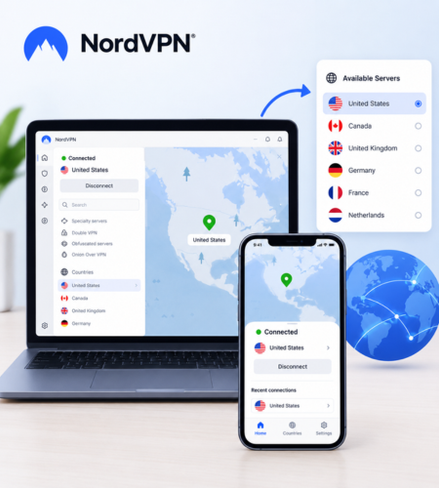
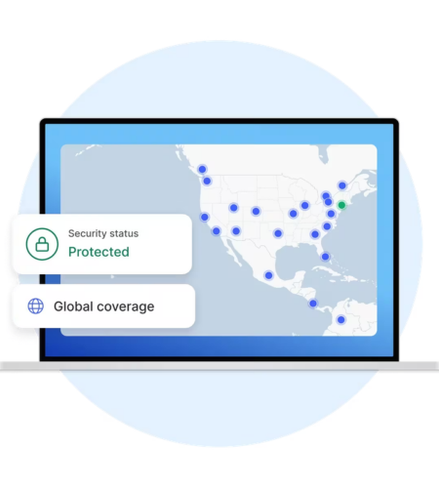
NordVPN provides thousands of VPN servers across 225 locations worldwide. Its network includes different server categories designed for specific connection requirements.
Some important server types include:
- Regular servers: Encrypt internet traffic and replace your visible IP address.
- Double VPN servers: Route traffic through two VPN servers for an additional encryption layer.
- Obfuscated servers: Designed to make VPN traffic less recognizable on restrictive networks.
- Dedicated IP servers: Provide an IP address assigned exclusively to one user.
- P2P servers: Designed for peer-to-peer file-sharing traffic.
The availability of individual server types varies by country. Users can explore the official server list to check available locations and connection options.
Having access to different locations makes it easier to select a server based on distance, browsing requirements, and personal preferences.
NordLynx: NordVPN’s Speed-Focused Protocol
One of NordVPN’s notable features is NordLynx, a VPN protocol built around WireGuard technology.
NordLynx is designed to provide fast connections while maintaining the privacy benefits expected from a VPN. NordVPN identifies it as its default protocol because of its speed and efficiency.
Some important characteristics include:
Fast connections: NordLynx is designed to reduce connection overhead and deliver efficient data transmission.
Modern technology: It is built around the WireGuard protocol, which uses a streamlined approach to VPN connections.
Everyday usability: It can be useful for browsing, video streaming, downloading files, and other regular internet activities.
Privacy: NordLynx incorporates NordVPN’s privacy-focused implementation of WireGuard.
NordVPN states that NordLynx can be up to twice as fast as other VPN protocols. Actual results depend on network conditions, device capabilities, and server selection.
Other VPN Protocols Available
NordVPN provides additional protocols for users with different connection requirements.
OpenVPN
OpenVPN is a widely used open-source VPN protocol. It offers UDP and TCP connection options.
UDP is commonly preferred when speed is important, while TCP can be useful when connection reliability is a priority.
NordWhisper
NordWhisper is designed for restrictive networks that block or limit traditional VPN traffic. It provides another connection option when standard protocols experience compatibility problems.
IKEv2/IPsec
IKEv2/IPsec is known for its ability to maintain connections when switching between networks. It can be useful for mobile devices, although NordVPN lists it as available through manual setup.
Choosing the right protocol depends on whether your priority is speed, compatibility, or connection stability.
How to Get Better Speeds With NordVPN
Even a capable VPN cannot eliminate every internet speed limitation. However, a few simple adjustments may improve your connection.
- Choose a nearby server: Start with a server geographically close to your location to reduce unnecessary network distance.
- Try NordLynx: Select NordLynx in your VPN settings when speed is your priority.
- Change servers: If your current connection feels slow, try another available server in the same region.
- Check your internet connection: Test your regular internet speed without the VPN to establish a baseline.
- Close background applications: Large downloads, cloud backups, and other bandwidth-intensive activities can affect performance.
- Update the application: Keep your NordVPN application updated to access the latest available improvements.
- Avoid unnecessary distance: Connecting to a distant country when you do not need that location may introduce additional latency.
These steps provide a practical starting point for improving everyday VPN performance.
Why Consider NordVPN for Everyday Browsing?
NordVPN combines its global server infrastructure with multiple connection protocols and additional privacy features.
Some reasons users may consider the service include:
- Thousands of servers across international locations.
- NordLynx technology for speed-focused connections.
- OpenVPN and other protocol options.
- Specialty servers for different requirements.
- Applications for Windows, macOS, Android, and iOS.
- Up to 10 simultaneous device connections.
However, VPN performance is not identical for every user. Your internet provider, physical location, device, and selected server can all influence the experience.
NordVPN Pricing and Subscription Options
NordVPN offers several subscription plans with different features and billing periods. Options include monthly, yearly, and two-year subscriptions.
The Basic plan provides the core VPN service, while higher-tier plans include additional features and services.
Prices and promotional offers can change depending on the selected subscription and region. Check the official website for current pricing, payment terms, and renewal conditions before choosing a plan.
Pros and Cons of NordVPN
Pros
- Extensive international server network.
- NordLynx protocol for fast connections.
- Multiple protocols for different requirements.
- Specialty server options.
- Support for major operating systems.
- Multiple simultaneous device connections.
Cons
- Connection speeds vary by location and network conditions.
- Longer subscription plans require upfront payment.
- Some additional features require higher-tier plans.
- Distant servers can introduce additional latency.
- A VPN cannot increase the maximum speed provided by your internet connection.
💥 Limited-Time Offer & Huge Discounts
Frequently Asked Questions
1. Is NordVPN fast enough for streaming?
NordVPN is designed to provide fast VPN connections. NordLynx can be a useful choice for streaming, although actual performance depends on your internet connection and selected server.
2. Which NordVPN protocol is fastest?
NordLynx is NordVPN’s speed-focused protocol and is generally the recommended starting point when connection speed is important.
3. How many server locations does NordVPN offer?
NordVPN currently advertises more than 7,000 servers across 225 locations worldwide. Server availability can change over time.
4. Does connecting to a nearby VPN server improve speed?
Generally, yes. A nearby server can reduce latency because internet traffic travels a shorter distance. However, server congestion and network conditions also matter.
5. Can I change NordVPN servers whenever I want?
Yes. Users can disconnect from their current server and select another available location through the application.
Related Resources
For more information about NordVPN’s security, subscription options, pricing, and overall service features, explore our related guide:
NordVPN Reviews, Price, Safety & Full 2026 Guide: Is NordVPN Worth It?
Conclusion
Finding a balance between internet speed and online privacy is important when choosing a VPN. NordVPN combines its international server network with NordLynx technology and several alternative protocols to accommodate different browsing requirements.
Choosing nearby servers, selecting an appropriate protocol, and maintaining an updated application can help improve your everyday VPN experience.
If you want to explore fast VPN connections, international server locations, and available privacy features, visit NordVPN’s official website to learn more about its services and subscription options.