Table Of Content
- ✨ Discover Amazing Offers & Discounts
- What Is AI Transcription and How Does It Work?
- Why Turn Voice Recordings Into Smart Notes?
- How Hey Pocket AI Transcription Works
- Key Hey Pocket Features and Benefits
- AI-Powered Transcription
- Automatic AI Summaries
- Smart Action Items
- Searchable Notes
- Multiple Language Support
- Portable Recording Design
- Who Can Benefit From Hey Pocket?
- Pricing and Things to Consider
- 🎉 Exclusive Team Pack Deals & Savings
- Frequently Asked Questions
- 1. What is Hey Pocket AI transcription?
- 2. Can Hey Pocket summarize recorded conversations?
- 3. Does Hey Pocket support multiple languages?
- 4. Can Hey Pocket record without a phone?
- 5. Is Hey Pocket suitable for meetings?
- Related Resources
- Conclusion
Keeping track of important conversations, meetings, lectures, and everyday ideas can be challenging. Writing everything down takes time, and relying on memory can make it easy to forget important details. This is where AI transcription can make a difference. Instead of manually typing every word, an AI-powered voice recorder can convert spoken conversations into written transcripts, organized summaries, and useful notes.
Hey Pocket offers a smart recording solution designed to make capturing information easier. Its Pocket device records conversations and works with AI-powered features to organize recordings into searchable information. Whether you are a professional, student, entrepreneur, or someone who frequently attends meetings, understanding how Hey Pocket AI transcription works can help you decide whether it fits your daily routine.
✨ Discover Amazing Offers & Discounts
What Is AI Transcription and How Does It Work?
AI transcription is the process of converting spoken language into written text using artificial intelligence and speech recognition technology.
Traditional note-taking requires someone to listen, understand, and write important information simultaneously. AI transcription simplifies this process by processing recorded audio and producing a written version of the conversation.

A typical AI transcription workflow includes:
- Audio recording: A device captures spoken conversations or personal notes.
- Speech recognition: AI processes the audio and converts speech into text.
- Text organization: The transcript is arranged into readable sections.
- AI summaries: Important discussions and key points can be condensed.
- Action items: Relevant tasks and follow-up points can be identified.
The technology can be useful for meetings, interviews, lectures, brainstorming sessions, and personal reminders. However, transcription accuracy may vary depending on background noise, accents, technical vocabulary, and recording conditions.
Why Turn Voice Recordings Into Smart Notes?
Recording conversations is helpful, but having hours of audio is not always practical. Finding one important detail may require listening to an entire recording again.
Converting voice into organized notes makes information easier to review and use.
Some important advantages include:
1. Save time on manual note-taking
Instead of writing every sentence, you can focus on listening and participating in conversations while the recording captures the information.
2. Keep important details organized
Written transcripts make it easier to revisit specific discussions, decisions, and explanations.
3. Review meetings more efficiently
AI-generated summaries can help highlight major topics without requiring you to replay the entire conversation.
4. Improve task management
Automatically identified action items can help users remember responsibilities and follow-up activities.
5. Make information searchable
Searchable transcripts make locating particular words, topics, or conversation details more convenient.
How Hey Pocket AI Transcription Works
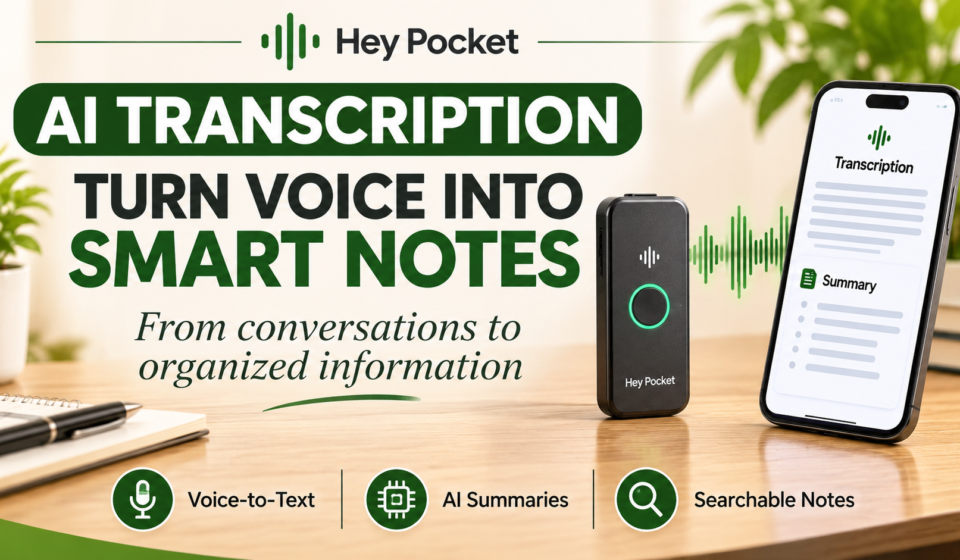
Hey Pocket combines a dedicated recording device with an application that processes and organizes captured conversations.
The device is designed for recording in-person discussions, meetings, and phone conversations. Its microphones support different recording situations, while the accompanying software helps turn recordings into useful information.

The general process involves three steps:
Step 1: Record your conversation
Start recording using the Pocket device. It can be placed on a meeting table or attached to a compatible phone setup for supported recording situations.
Step 2: Access your transcript
After recording, the audio can sync with the application. The platform processes the recording and provides a written transcript.
Step 3: Review organized information
Users can explore AI-generated summaries, action items, and mind maps to understand the conversation more efficiently.
The official product information also describes support for more than 120 languages, offline recording, and searchable transcripts.
Key Hey Pocket Features and Benefits
Hey Pocket includes several features designed to make voice recording and information management more convenient.
AI-Powered Transcription
The transcription feature converts recorded conversations into written text. This can be particularly useful for professionals who regularly attend meetings or students who want to review recorded discussions.
Automatic AI Summaries
Long conversations can contain unnecessary details. AI summaries help organize important points into shorter, easier-to-read information.
Smart Action Items
The platform can identify tasks and follow-up points from conversations. This may help users keep track of decisions and responsibilities.
Searchable Notes
Search functionality makes it easier to find information from previous recordings rather than manually reviewing every audio file.
Multiple Language Support
Hey Pocket advertises support for more than 120 languages, making it relevant to people who communicate in different languages.
Portable Recording Design
The dedicated device includes built-in microphones and storage. It is designed to record independently of a phone and synchronize recordings through its application.
Who Can Benefit From Hey Pocket?
AI transcription tools can support different working and learning environments.
- Business professionals: Keep track of meeting discussions, decisions, and follow-up tasks.
- Students: Review lectures and important educational conversations.
- Content creators: Capture interviews, brainstorming sessions, and creative ideas.
- Entrepreneurs: Organize conversations with clients, partners, and team members.
- Researchers: Maintain written records of interviews and discussions.

The usefulness of these features depends on individual requirements, recording conditions, and preferred working methods.
Pricing and Things to Consider
Hey Pocket offers different product and software options. Its official website describes a free plan and a paid Pro subscription, while hardware pricing and promotions may vary.
The free software plan includes standard-accuracy transcription, summaries with limited retention, and basic export capabilities. Pro offers additional features, including higher-accuracy transcription, speaker identification, expanded summary storage, and advanced integrations.
Before purchasing, review the current checkout price, subscription terms, available features, shipping information, and return policy.
Potential advantages include dedicated recording hardware, AI summaries, multilingual transcription, and searchable conversations.
Possible limitations include the additional device purchase, dependence on transcription quality, and the need to review AI-generated text for mistakes.
Privacy is another important consideration. Always obtain appropriate consent before recording conversations and check applicable recording laws. Review the provider’s privacy policy before storing sensitive information.
🎉 Exclusive Team Pack Deals & Savings
Frequently Asked Questions
1. What is Hey Pocket AI transcription?
It is a feature that converts audio recordings into written transcripts, helping users review and organize spoken information.
2. Can Hey Pocket summarize recorded conversations?
Yes. Its AI features include conversation summaries designed to highlight important information.
3. Does Hey Pocket support multiple languages?
The official product information advertises support for more than 120 languages.
4. Can Hey Pocket record without a phone?
Yes. The device supports offline recording and can synchronize recordings with the application later.
5. Is Hey Pocket suitable for meetings?
It is designed to capture meetings and conversations and organize them into transcripts, summaries, and action items. Recording consent should always be obtained.
Related Resources
For more information about its functionality, costs, and overall value, explore the detailed Hey Pocket product review and buying guide.
Conclusion
AI transcription offers a practical way to transform spoken conversations into organized and searchable information. Instead of depending entirely on manual note-taking, users can capture discussions, review written transcripts, and explore summaries and action items.
Hey Pocket brings these capabilities together through dedicated recording hardware and AI-powered software. Its transcription, multilingual support, and note organization features make it worth exploring for people who regularly manage meetings, interviews, and everyday conversations.
If you want to make voice recording and note management part of your workflow, explore the official Hey Pocket website to review its latest features, plans, and product details before deciding whether it meets your needs.