Table Of Content
- 1. Introduction
- 2. Product Overview
- 3. Key Features
- Powerful M1 Chip
- Vivid 10.9‑inch Liquid Retina Display
- Support for Apple Pencil (2nd Gen)
- Long‑Lasting Battery Life
- Lightweight & Portable Design
- 4. Pros and Cons
- Pros
- Cons
- 5. Performance Review
- Real‑World Productivity
- Creative and Multimedia Use
- Battery & Day‑to‑Day Reliability
- 6. Comparison with Similar Tablets
- Apple iPad Air vs Samsung Galaxy Tab S8
- 7. Final Verdict
1. Introduction
In today’s fast‑paced digital world, having the right tablet can make all the difference in productivity — whether you’re working on complex documents, joining virtual meetings, or studying on the go. The Apple iPad Air (5th Gen) stands out as one of the best tablets for work and study, combining powerful performance with sleek design and seamless software support. In this review, we’ll break down its key features, performance, pros & cons, and overall value for students and professionals.
2. Product Overview
| Feature | Details |
|---|---|
| Brand | Apple |
| Model | iPad Air (5th Gen) |
| Price | $$$ (mid‑to‑premium range) |
| Rating | ⭐⭐⭐⭐☆ (4.7/5) |
3. Key Features
Powerful M1 Chip
The iPad Air (5th Gen) is equipped with Apple’s M1 chip, delivering laptop‑grade performance. Whether you’re editing spreadsheets, multitasking between apps, or rendering media, this tablet handles it with ease — making it ideal for both work and study.
Vivid 10.9‑inch Liquid Retina Display
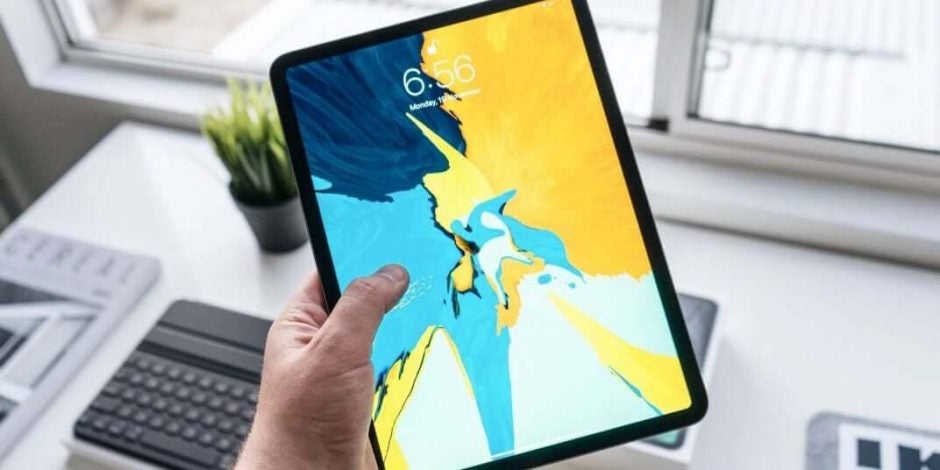
The edge‑to‑edge Liquid Retina display offers crisp visuals, accurate colors, and a responsive touch experience. Reading documents, annotating PDFs, or watching educational videos becomes comfortable and enjoyable.
Support for Apple Pencil (2nd Gen)
Creative students and professionals will appreciate the support for the Apple Pencil (2nd Gen). Taking notes, sketching diagrams, or marking up presentations feels natural and precise.
Long‑Lasting Battery Life
With up to 10 hours of battery life on a single charge, the iPad Air keeps you productive throughout your study sessions or workday — without scrambling for a charger.
Lightweight & Portable Design
Weighing just over a pound, the iPad Air is thin, lightweight, and easy to carry between classes, meetings, or travel workdays.
4. Pros and Cons
Pros
✔ Excellent performance thanks to the M1 chip
✔ Beautiful display ideal for reading, writing, and media
✔ Great ecosystem with accessories like Apple Pencil & Magic Keyboard
✔ Strong battery life for all‑day productivity
✔ iPadOS multitasking features enhance workflow
Cons
❌ Accessories sold separately (Apple Pencil & keyboard add cost)
❌ Higher price point compared to many Android tablets
❌ Limited file system access in iPadOS for advanced users
❌ No expandable storage (rely on onboard storage/options only)
5. Performance Review
Real‑World Productivity
In everyday use, the iPad Air performs like a mini‑laptop. Apps open quickly, switching between Pages, Excel, and Safari is seamless, and split‑screen multitasking works smoothly. For students, digital textbooks and note‑taking apps like Notability or GoodNotes run flawlessly. Professionals will appreciate support for Microsoft 365 and G‑Suite workflows.
Creative and Multimedia Use
The responsive display and Apple Pencil support make creativity enjoyable — sketching diagrams, marking up slides, and visual brainstorming are intuitive. Media playback, video calls, and streaming are crisp with true‑to‑life color thanks to the vibrant screen.
Battery & Day‑to‑Day Reliability
Battery life easily lasts through long study sessions or workdays, and the tablet rarely overheats, even under heavy processing. The combination of lightweight design and performance makes it a reliable companion for students and professionals.
6. Comparison with Similar Tablets
Apple iPad Air vs Samsung Galaxy Tab S8
| Feature | iPad Air (5th Gen) | Samsung Galaxy Tab S8 |
|---|---|---|
| Processor | Apple M1 | Snapdragon 8 Gen 1 |
| Display Size | 10.9″ Liquid Retina | 11″ LCD |
| Stylus Support | Apple Pencil (2nd Gen) | S Pen (included) |
| Ecosystem | iPadOS | Android/One UI |
| Price | Mid‑Premium | Competitive mid‑premium |
Verdict: The iPad Air offers smoother performance for productivity apps and better integration with creative tools, while the Galaxy Tab S8 provides a competitive Android alternative with an included stylus.
7. Final Verdict
The Apple iPad Air (5th Gen) is one of the best tablets for work and study thanks to its powerful performance, impressive display, and versatile ecosystem. It’s perfect for:
➡ Students who want a powerful but portable device for note‑taking, research, and media
➡ Professionals needing a reliable tablet for documents, presentations, and multitasking
➡ Creative users who want seamless access to stylus‑driven apps
If you’re seeking a high‑performance tablet that blends productivity, portability, and battery life, the iPad Air is an excellent choice — just be ready to invest in accessories like the Pencil and keyboard to unlock its full potential.