
1. Introduction
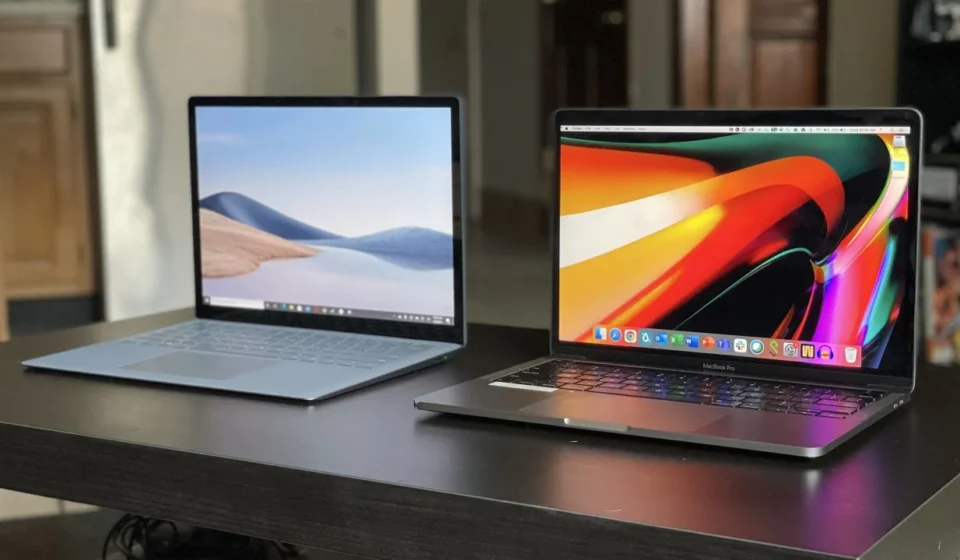
Choosing between a MacBook and a Windows laptop can be confusing, especially with so many powerful devices available in 2026. Both options offer excellent performance, modern designs, and advanced features. However, they are designed for different types of users and workflows.
Table Of Content
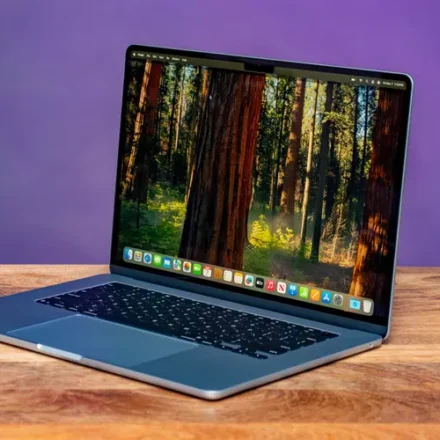
A MacBook is known for its premium build quality, optimized macOS ecosystem, and excellent performance with Apple Silicon chips. On the other hand, Windows laptops offer more variety, better customization options, and a wider price range.
In this guide, we will compare MacBook vs Windows Laptop to help you decide which one is the best choice for your needs.
MacBook vs Windows Laptop – Product Overview
| Feature | Details |
|---|---|
| Brand | Apple (MacBook) vs Multiple Brands (Dell, HP, Lenovo, Asus, etc.) |
| Model | MacBook Air / MacBook Pro vs Various Windows Laptop Models |
| Price | MacBook: $999 – $2499+ / Windows Laptop: $400 – $2500+ |
| Rating | MacBook: ⭐ 4.7 / 5 – Windows Laptop: ⭐ 4.5 / 5 |
3. Key Features of MacBook vs Windows Laptop
1. Operating System
One of the biggest differences between MacBook and Windows laptops is the operating system.
- MacBook runs on macOS, which is known for its smooth interface, security, and integration with Apple devices like iPhone and iPad.
- Windows laptops run on Microsoft Windows, which supports a wider range of software and applications.
If you prefer a simple and optimized system, macOS is great. If you want flexibility and software compatibility, Windows is usually better.
2. Hardware Variety
MacBooks come in limited models such as MacBook Air and MacBook Pro, but they are carefully optimized for performance.
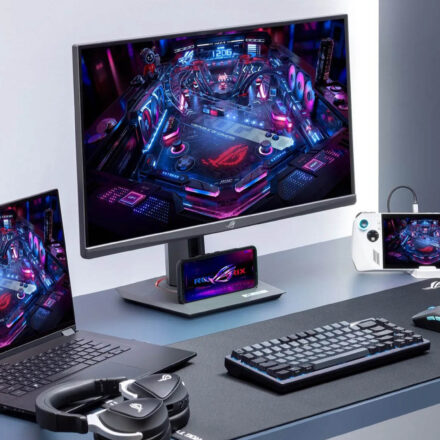
Windows laptops offer hundreds of different models from brands like Dell, HP, Lenovo, and Asus. These devices range from budget laptops to powerful gaming machines.
This makes Windows laptops a better choice if you want more hardware options and price flexibility.
3. Performance and Processors
Modern MacBooks use Apple Silicon chips (M1, M2, M3 series) which deliver excellent performance and energy efficiency.
Windows laptops use processors like:
- Intel Core i5, i7, i9
- AMD Ryzen 5, Ryzen 7, Ryzen 9
MacBooks usually offer better battery efficiency, while Windows laptops provide more performance choices, especially for gaming and specialized workloads.
4. Battery Life
MacBooks are famous for their long battery life, often lasting 15–20 hours on a single charge.
Windows laptops vary widely depending on the model. Some premium ultrabooks offer excellent battery life, but many budget models may last 6–10 hours.
5. Ecosystem Integration
If you already use Apple devices like iPhone, iPad, or Apple Watch, a MacBook fits perfectly into the ecosystem with features like:
- AirDrop
- Handoff
- Universal Clipboard
Windows laptops work well with many third-party devices and services but do not offer the same seamless ecosystem integration.
4. Pros and Cons
Pros
✔ Premium design and build quality (MacBook)
✔ Excellent battery life and performance efficiency
✔ Wide variety of models and prices (Windows laptops)
✔ Better gaming and software compatibility on Windows
✔ Strong ecosystem integration for Apple users
Cons
❌ MacBooks are generally more expensive
❌ Limited hardware customization on MacBook
❌ Windows laptops may have inconsistent build quality depending on brand
❌ Battery life on some Windows laptops can be lower
5. Performance Review
In real-world use, both MacBook and Windows laptops perform extremely well, but the experience depends on your usage.
MacBooks provide a smooth and stable experience for tasks like content creation, programming, video editing, and everyday productivity. The combination of macOS and Apple Silicon chips ensures optimized performance with minimal lag.
Windows laptops offer greater flexibility. They are excellent for business applications, gaming, engineering software, and specialized tools that may not be available on macOS.
For general tasks like web browsing, office work, and media consumption, both platforms deliver fast and reliable performance.
6. Comparison – MacBook vs Windows Laptop
| Feature | MacBook | Windows Laptop |
|---|---|---|
| Operating System | macOS | Windows |
| Price Range | Higher | Budget to Premium |
| Hardware Options | Limited | Huge Variety |
| Gaming Support | Limited | Excellent |
| Battery Life | Excellent | Good to Excellent |
Overall, MacBooks focus on optimization and ecosystem, while Windows laptops provide variety and flexibility.
7. Final Verdict
When deciding between MacBook vs Windows Laptop, the best option depends on your needs and preferences.
You should buy a MacBook if:
- You prefer a simple and secure operating system
- You use other Apple devices
- You want long battery life and premium build quality
You should buy a Windows laptop if:
- You want more affordable options
- You need better gaming performance
- You require specific Windows software or customization
In conclusion, both laptops are excellent choices. If you value performance optimization and ecosystem, choose a MacBook. If you prefer flexibility, affordability, and variety, a Windows laptop is the better option.
1. Introduction
Choosing between a MacBook and a Windows laptop can be confusing, especially with so many powerful devices available in 2026. Both options offer excellent performance, modern designs, and advanced features. However, they are designed for different types of users and workflows.
A MacBook is known for its premium build quality, optimized macOS ecosystem, and excellent performance with Apple Silicon chips. On the other hand, Windows laptops offer more variety, better customization options, and a wider price range.
In this guide, we will compare MacBook vs Windows Laptop to help you decide which one is the best choice for your needs.
MacBook vs Windows Laptop – Product Overview
| Feature | Details |
|---|---|
| Brand | Apple (MacBook) vs Multiple Brands (Dell, HP, Lenovo, Asus, etc.) |
| Model | MacBook Air / MacBook Pro vs Various Windows Laptop Models |
| Price | MacBook: $999 – $2499+ / Windows Laptop: $400 – $2500+ |
| Rating | MacBook: ⭐ 4.7 / 5 – Windows Laptop: ⭐ 4.5 / 5 |
3. Key Features of MacBook vs Windows Laptop
1. Operating System
One of the biggest differences between MacBook and Windows laptops is the operating system.
- MacBook runs on macOS, which is known for its smooth interface, security, and integration with Apple devices like iPhone and iPad.
- Windows laptops run on Microsoft Windows, which supports a wider range of software and applications.
If you prefer a simple and optimized system, macOS is great. If you want flexibility and software compatibility, Windows is usually better.
2. Hardware Variety
MacBooks come in limited models such as MacBook Air and MacBook Pro, but they are carefully optimized for performance.
Windows laptops offer hundreds of different models from brands like Dell, HP, Lenovo, and Asus. These devices range from budget laptops to powerful gaming machines.
This makes Windows laptops a better choice if you want more hardware options and price flexibility.
3. Performance and Processors
Modern MacBooks use Apple Silicon chips (M1, M2, M3 series) which deliver excellent performance and energy efficiency.
Windows laptops use processors like:
- Intel Core i5, i7, i9
- AMD Ryzen 5, Ryzen 7, Ryzen 9
MacBooks usually offer better battery efficiency, while Windows laptops provide more performance choices, especially for gaming and specialized workloads.
4. Battery Life
MacBooks are famous for their long battery life, often lasting 15–20 hours on a single charge.
Windows laptops vary widely depending on the model. Some premium ultrabooks offer excellent battery life, but many budget models may last 6–10 hours.
5. Ecosystem Integration
If you already use Apple devices like iPhone, iPad, or Apple Watch, a MacBook fits perfectly into the ecosystem with features like:
- AirDrop
- Handoff
- Universal Clipboard
Windows laptops work well with many third-party devices and services but do not offer the same seamless ecosystem integration.
4. Pros and Cons
Pros
✔ Premium design and build quality (MacBook)
✔ Excellent battery life and performance efficiency
✔ Wide variety of models and prices (Windows laptops)
✔ Better gaming and software compatibility on Windows
✔ Strong ecosystem integration for Apple users
Cons
❌ MacBooks are generally more expensive
❌ Limited hardware customization on MacBook
❌ Windows laptops may have inconsistent build quality depending on brand
❌ Battery life on some Windows laptops can be lower
5. Performance Review
In real-world use, both MacBook and Windows laptops perform extremely well, but the experience depends on your usage.
MacBooks provide a smooth and stable experience for tasks like content creation, programming, video editing, and everyday productivity. The combination of macOS and Apple Silicon chips ensures optimized performance with minimal lag.
Windows laptops offer greater flexibility. They are excellent for business applications, gaming, engineering software, and specialized tools that may not be available on macOS.
For general tasks like web browsing, office work, and media consumption, both platforms deliver fast and reliable performance.
6. Comparison – MacBook vs Windows Laptop
| Feature | MacBook | Windows Laptop |
|---|---|---|
| Operating System | macOS | Windows |
| Price Range | Higher | Budget to Premium |
| Hardware Options | Limited | Huge Variety |
| Gaming Support | Limited | Excellent |
| Battery Life | Excellent | Good to Excellent |
Overall, MacBooks focus on optimization and ecosystem, while Windows laptops provide variety and flexibility.
7. Final Verdict
When deciding between MacBook vs Windows Laptop, the best option depends on your needs and preferences.
You should buy a MacBook if:
- You prefer a simple and secure operating system
- You use other Apple devices
- You want long battery life and premium build quality
You should buy a Windows laptop if:
- You want more affordable options
- You need better gaming performance
- You require specific Windows software or customization
In conclusion, both laptops are excellent choices. If you value performance optimization and ecosystem, choose a MacBook. If you prefer flexibility, affordability, and variety, a Windows laptop is the better option.