Table Of Content
- Save More on Every Order – Grab the Latest Coupons & Deals
- Why Solo Table Tennis Drills Matter
- 7 Table Tennis Drills You Can Practice Alone
- 1. Forehand Consistency Drill
- 2. Backhand Control Drill
- 3. Forehand-to-Backhand Switch
- 4. Random Placement Drill
- 5. Footwork Drill
- 6. Spin Return Practice
- 7. Match-Style Rally Drill
- How PONGBOT Fits Solo Training
- Pricing, Shipping, and Customer Considerations
- Pros and Cons
- Save More on Every Order – Grab the Latest Coupons & Deals
- Frequently Asked Questions
- Can you practice table tennis alone?
- What should beginners practice first?
- Can a table tennis robot replace a partner?
- Is PONGBOT suitable for solo practice?
- What should you practice first: spin, footwork, or consistency?
- Related Resources
- Conclusion
You do not need a practice partner every time you want to improve. The right table tennis drills you can practice alone can help you repeat key strokes, sharpen footwork, improve racket control, and build a consistent routine. Solo practice is especially useful when your schedule does not match a teammate or club session. It also lets you focus on one weakness without worrying about keeping a rally alive for someone else. A robot can take this training further by delivering repeatable balls with adjustable speed, spin, and placement. PONGBOT’s lineup follows that approach, from the portable Nova S Pro to the Omni S Pro and Halo S Pro.
Save More on Every Order – Grab the Latest Coupons & Deals:
Why Solo Table Tennis Drills Matter
Good solo training is about purposeful repetition, not simply hitting as many balls as possible. Start with controlled movements, then add speed, spin, placement, and movement as your technique becomes more reliable. Solo work can develop stroke mechanics, balance, recovery, touch, and consistency, but it cannot fully replace a real opponent.
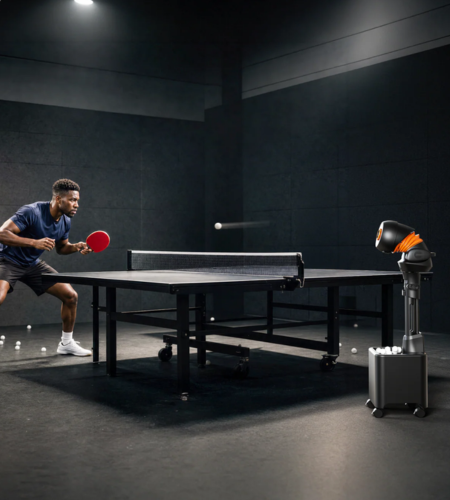
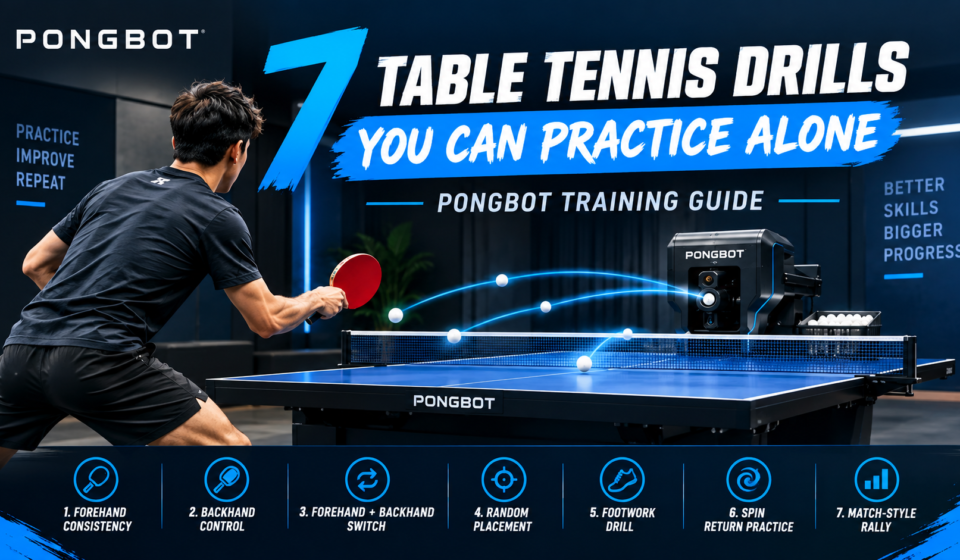
7 Table Tennis Drills You Can Practice Alone
1. Forehand Consistency Drill
Practice repeated forehand drives with clean contact, balance, and recovery. With a robot, start with a consistent feed and gradually change speed or placement.
2. Backhand Control Drill
Repeat backhand shots while focusing on racket angle, timing, and recovery. Add different speeds or light spin as you improve.
3. Forehand-to-Backhand Switch
Alternate between forehand and backhand shots. Keep your feet active and return to a balanced position after each stroke.
4. Random Placement Drill
Use different table placements and react to each feed instead of anticipating one spot. PONGBOT supports customizable placement and oscillation.
5. Footwork Drill
Practice movement between forehand, backhand, and wide-ball positions. Focus on small steps, balance, and quick recovery.
6. Spin Return Practice
Practice against topspin and backspin feeds. Adjust your racket angle and contact rather than simply swinging harder. Nova S Pro offers nine spin variations and adjustable settings.
7. Match-Style Rally Drill
Combine placement, spin, and movement in one sequence. Try backhand, forehand, wide forehand, then recovery, increasing difficulty gradually.
How PONGBOT Fits Solo Training
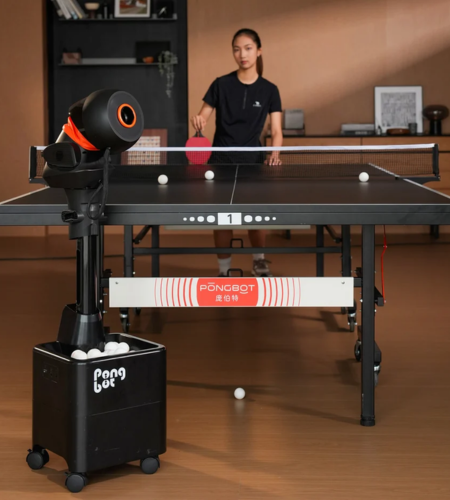
PONGBOT offers Nova S Pro, Omni S Pro, and Halo S Pro for solo table tennis practice, with different features for various training needs.
Nova S Pro is the portable model, offering 150-ball capacity, 30–90 balls per minute, 2–15 m/s speed, nine spin variations, Bluetooth, and 264+ drills. It is listed at $299.99.
Omni S Pro adds 360° spin adjustment, automatic side-spin adjustment, 250-ball capacity, and 522+ drills. Halo S Pro offers 250-ball capacity and 702 preset drills.
Pricing, Shipping, and Customer Considerations
Current listings show the Nova S Pro at $299.99, the Omni S Series from $749.99, and the Halo S Pro at $1,499.99. Check the official store for current pricing.
PONGBOT says orders are generally processed within five business days. Its policy lists 3–7 business days for the US, EU, Australia, and Canada, with longer delivery elsewhere. International orders may involve customs duties or taxes. PONGBOT also advertises 30-day returns, up to three-year warranties, and 24/7 customer service.
Pros and Cons
Potential advantages
- Train without waiting for a partner.
- Repeat placements and spin patterns.
- Build structured solo sessions.
- Choose between portable and advanced robot formats.
Potential limitations
- A robot cannot reproduce every tactical decision of a human opponent.
- Advanced models require a larger equipment budget.
Save More on Every Order – Grab the Latest Coupons & Deals:
Frequently Asked Questions
Can you practice table tennis alone?
Yes. Strokes, serves, footwork, ball control, and structured feeding drills can all be practiced alone. A robot adds repeatable live-ball practice.
What should beginners practice first?
Start with forehand and backhand consistency. Then add movement, placement changes, and spin.
Can a table tennis robot replace a partner?
Not completely. A robot provides repetition and controlled variation, while human opponents add unpredictable decisions and match pressure.
Is PONGBOT suitable for solo practice?
Yes. PONGBOT specifically markets its table-tennis robots for solo training and offers portable and advanced models with preset and customizable drills.
What should you practice first: spin, footwork, or consistency?
Build consistency first, then connect it to footwork and spin. After that, progress toward random and match-style patterns.
Related Resources
For a deeper look at the brand and its table-tennis robot lineup, see the PONGBOT review and 2026 table tennis robot analysis on Reviewness.
Conclusion
The best table tennis drills you can practice alone have a clear purpose: repeat a stroke, improve movement, handle spin, or combine skills under changing placement. Start with consistency, progress toward footwork and variation, then use match-style patterns to increase the challenge. If you want a dedicated training tool, PONGBOT offers table-tennis robots ranging from the portable Nova S Pro to the more advanced Omni S Pro and Halo S Pro. Explore the official PONGBOT store to compare current models, packages, and availability.