Table Of Content
- 🎉 Exclusive Deals & Special Savings
- Why Families Are Looking for Screen-Free Technology
- What Is the TinCan Kids Phone?
- How Approved Contacts Work
- A Voice-First Alternative to Smartphones
- Features Designed for Everyday Use
- Pricing and Plan Considerations
- Pros and Cons of TinCan
- Pros
- Cons
- ✨ Unlock Great Offers & Discounts
- Frequently Asked Questions
- Is TinCan a smartphone?
- Can kids call regular phone numbers?
- Does TinCan require a phone jack?
- Can parents control who contacts the child?
- Can TinCan call other TinCan phones?
- Does TinCan have apps or games?
- Conclusion
Technology can help children stay connected, but many parents are not ready to introduce a smartphone filled with apps, games, social media, texting, and constant notifications. Finding a middle ground between giving a child no communication device and giving them unrestricted smartphone access can be difficult.
A screen-free phone for kids offers a different approach. Instead of providing a miniature smartphone, it focuses on one essential purpose: communication. TinCan is designed around this idea, offering a Wi-Fi-enabled home phone that allows children to make and receive calls with approved contacts.
For families exploring alternatives to early smartphone ownership, the TinCan kids phone may provide a simpler way to introduce communication technology. Its voice-first design encourages real conversations while parents retain control over who can contact their child.
🎉 Exclusive Deals & Special Savings
Why Families Are Looking for Screen-Free Technology
Smartphones are powerful devices, but they combine communication with many other digital activities. A child may receive access to messaging, browsers, apps, games, social platforms, and notifications through a single device.
Some families would prefer to introduce technology in stages.

A screen-free communication device can be useful for parents who want their children to:
- Talk directly with friends and family.
- Practice making phone calls independently.
- Learn basic phone etiquette.
- Communicate without browsing apps or websites.
- Stay connected without carrying a smartphone.
This approach does not mean that all technology is harmful or that every family should avoid smartphones. Different families have different needs. However, a more focused communication device can be an appealing option for parents who want to delay certain smartphone features.
The main advantage of a screen-free phone is simplicity. When a device is designed primarily for calling, children can focus on the conversation rather than switching between multiple forms of entertainment.
What Is the TinCan Kids Phone?
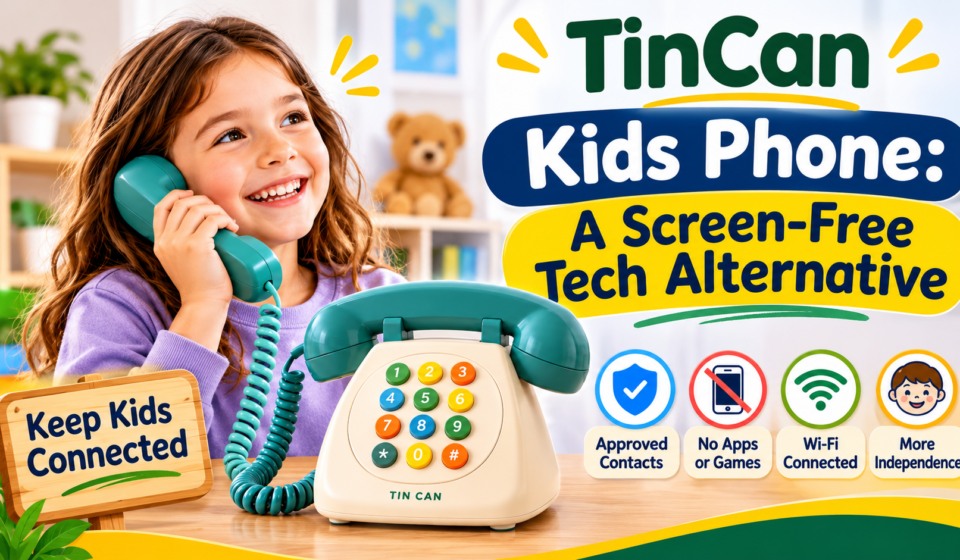
TinCan is a Wi-Fi-enabled home phone designed specifically for children. It does not include apps, texting, or games. Instead, it focuses on voice calls with people approved by parents through the TinCan companion app.
The phone works through a home Wi-Fi connection and does not require a traditional phone jack. Parents use the companion app to manage the device and approve contacts.

This makes TinCan different from both a traditional landline and a standard smartphone. It has the familiar idea of picking up a handset and speaking to someone, but it uses modern internet connectivity and parental management tools.
The product is designed to help children have a phone of their own while giving parents control over the communication environment.
How Approved Contacts Work
One of the most important features of a kids’ communication device is contact management.
With TinCan, parents manage approved contacts through the companion app. This means families can decide who is allowed to communicate with the child.
This approach can be useful for families who want children to speak independently with trusted people without opening communication to unknown callers.
Approved contacts may include:
- Parents and guardians.
- Grandparents.
- Other family members.
- Friends.
- Other approved TinCan users.
The available calling options depend on the selected plan. TinCan offers free calling between approved TinCan devices through its Can 2 Can option. The Party Line plan allows approved external phone numbers to be added for calling regular cell phones and landlines.
Parents should review the current plan details before purchasing because services, pricing, and availability can change.
A Voice-First Alternative to Smartphones
The biggest difference between TinCan and a smartphone is what the device leaves out.
There are no traditional smartphone apps, text messaging, or games built into the main experience. Instead, the focus is on voice conversations.
This may help families create a more intentional approach to communication. A child can pick up the handset, call an approved person, and have a real conversation without immediately moving to another app.
Voice calls can also help children practice practical communication skills, such as:
- Starting a conversation.
- Listening to another person.
- Taking turns speaking.
- Asking questions clearly.
- Ending a call politely.
These are everyday communication skills that children can practice naturally through regular conversations.
Of course, the level of independence should always match a child’s age, maturity, and family circumstances.
Features Designed for Everyday Use
TinCan includes several features that make it more practical than a basic toy phone.
Parents can manage contacts and call settings through the app, with features like speed dial, voicemail, speakerphone, call logs, and hours.
Quiet hours help families set boundaries for phone use. Parents can schedule times, such as bedtime or study hours, when regular incoming and outgoing calls are disabled.

The phone uses a compatible 2.4 GHz Wi-Fi connection and requires power from a standard outlet. No traditional phone jack is required.
TinCan also supports emergency calling, but families should understand that internet-based communication can be affected by power outages, internet disruptions, and other network problems. For that reason, it is sensible to maintain another way to contact emergency services when needed.
Pricing and Plan Considerations
At the time of research, the official U.S. TinCan product page lists the device at $100, although pricing and availability may change.
The Can 2 Can plan is included and allows approved calls between TinCan devices without a monthly subscription.
The Party Line plan is listed at $9.99 per month and allows approved external phone numbers, such as regular cell phones and landlines, to communicate with the device. The official store also lists the first month as free at the time of research.
TinCan currently states that orders ship within three business days and that a 45-day return window is available, subject to the store’s current policies.
Because prices, plans, shipping details, and availability can change, families should always confirm current information directly with the official TinCan store.
Pros and Cons of TinCan
Pros
TinCan offers a focused communication experience without traditional smartphone apps, games, or texting.
Parents can manage approved contacts through the companion app.
The device does not require a traditional phone jack.
Free approved calling between TinCan devices is included through the Can 2 Can option.
Features such as voicemail, speed dial, speakerphone, and quiet hours make it suitable for everyday home use.
Cons
The phone requires power and a compatible Wi-Fi connection.
A companion app is required for setup and management.
Calling approved regular phone numbers requires the applicable Party Line plan.
TinCan is designed as a home phone rather than a portable smartphone replacement.
Internet or power disruptions may affect normal calling availability.
✨ Unlock Great Offers & Discounts
Frequently Asked Questions
Is TinCan a smartphone?
No. TinCan is a Wi-Fi-enabled home phone designed for voice communication rather than a traditional smartphone experience.
Can kids call regular phone numbers?
Approved external phone numbers can be called through the applicable Party Line plan.
Does TinCan require a phone jack?
No. The device connects through compatible Wi-Fi and uses a standard power outlet.
Can parents control who contacts the child?
Yes. Parents manage approved contacts through the TinCan companion app.
Can TinCan call other TinCan phones?
Yes. Approved TinCan-to-TinCan calling is included through the Can 2 Can option.
Does TinCan have apps or games?
TinCan is designed without traditional smartphone apps, texting, or games and focuses primarily on voice communication.
Conclusion
A screen-free phone for kids can offer a practical middle ground for families that want children to communicate more independently without immediately introducing a full smartphone experience.
TinCan takes a focused approach by combining Wi-Fi calling, approved contacts, parental management, and a familiar home-phone format. For families who value real conversations and want to reduce unnecessary screen-based distractions, it may be a useful alternative to consider.
The right communication device depends on a child’s age, family routines, and the people they need to contact. Before making a purchase, review the current features, plans, compatibility requirements, and policies available from the official TinCan store.