Table Of Content
- 🎉 Exclusive Deals & Special Savings
- Why Choose a Kids Phone Without Apps or Games?
- How Tin Can Fits This Approach
- Key Features of the Tin Can Kids Phone
- 1. Approved Contacts
- 2. Wi-Fi Connectivity
- 3. No Games or Texting
- 4. Scheduled Calling Hours
- 5. Speed Dial and Voicemail
- 6. Emergency Calling
- Pricing and Subscription Options
- How Does Tin Can Work?
- Pros and Cons of Choosing Tin Can
- ✨ Unlock Great Offers & Discounts
- Frequently Asked Questions
- 1. What is a kids phone without apps or games?
- 2. Can children use Tin Can without a smartphone?
- 3. Does Tin Can need a traditional landline connection?
- 4. Can parents control who calls their children?
- 5. Can Tin Can call regular mobile phones?
- 6. Is Tin Can suitable for children who are not ready for smartphones?
- Conclusion
Choosing a first phone for children can be challenging. Parents want their kids to stay connected with friends and family, but they may not be ready for smartphones, social media, games, or unlimited internet access. A kids phone without apps, texts, or games offers a different approach to communication. Instead of introducing another screen-based device, families can consider a simple phone designed around real conversations. This approach allows children to learn basic communication skills while giving parents more control over who can contact them. Tin Can brings this idea to life with a Wi-Fi home phone designed specifically for younger users who want to talk with the people they know.
🎉 Exclusive Deals & Special Savings
Why Choose a Kids Phone Without Apps or Games?
Smartphones offer many communication options, but they also introduce features that younger children may not need. Games, notifications, social platforms, and browsing can make a basic communication device more complicated.
A simpler phone can help families focus on what matters most: staying in touch.
Here are some reasons parents consider alternatives to traditional smartphones:

- Fewer digital distractions: Children can communicate without access to mobile games or social media through their phone.
- Simple communication: Calling is straightforward and easy for younger users to understand.
- Parent-managed contacts: Families can decide who is allowed to communicate with their children.
- More independence: Kids can contact relatives and friends without always borrowing a parent’s smartphone.
- Clear family boundaries: Parents can establish specific times when phone calls are allowed.
The goal is not to remove technology completely. It is to introduce communication in a way that matches a child’s age and family expectations.
How Tin Can Fits This Approach
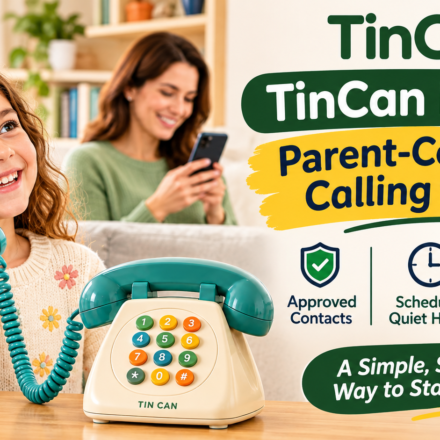
TinCan is a modern, Wi-Fi-enabled home phone that lets children stay connected without needing a traditional smartphone.
Its main purpose is simple: give children a dedicated way to call approved friends and family members.
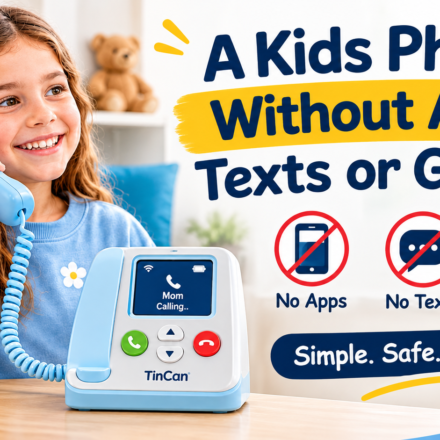
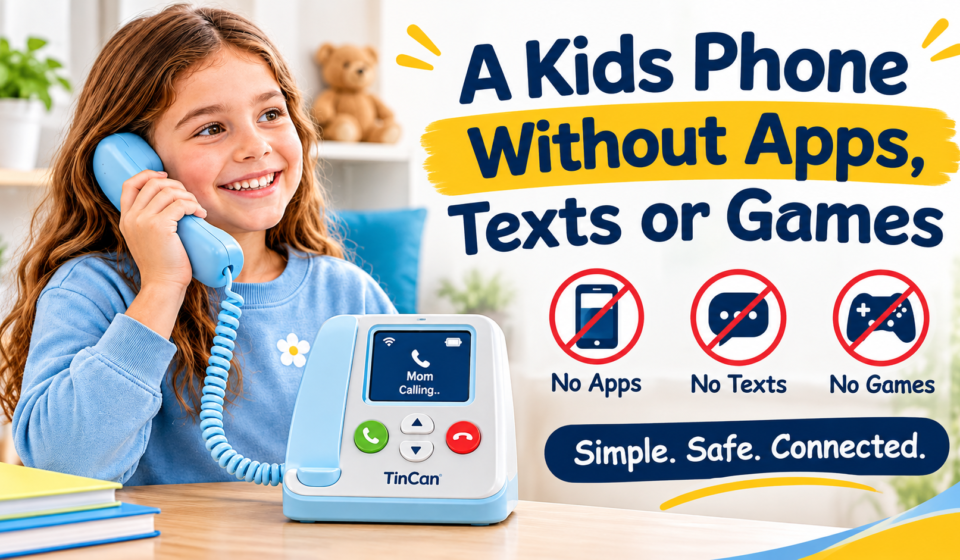
TinCan avoids games, texting, and social media, offering children a simple handset focused only on calling.

Parents manage the device through a separate companion app, where they can configure contacts and other settings.
This creates a different communication experience for families who want their children to have some independence without introducing a full smartphone.
Key Features of the Tin Can Kids Phone
1. Approved Contacts
Parents choose which people can call their child’s Tin Can and which contacts the child can call.
This helps families manage communication and limit unwanted callers. Only approved contacts can get through under the supported calling arrangements.
2. Wi-Fi Connectivity
Tin Can connects through home Wi-Fi rather than requiring a traditional telephone jack.
It requires a 2.4GHz Wi-Fi connection and a regular electrical outlet. This makes it suitable for a designated space at home, such as a bedroom or family area.
3. No Games or Texting
The device focuses on voice communication rather than entertainment.
Children can pick up the handset and speak with approved contacts without using messaging applications, browsing websites, or playing mobile games.
4. Scheduled Calling Hours
Parents can configure quiet hours through the companion app.
This feature can prevent ordinary incoming and outgoing calls during selected periods, making it easier to establish boundaries around bedtime, homework, and family activities.
5. Speed Dial and Voicemail
Tin Can includes speed-dial functionality for easier access to familiar contacts. It also offers voicemail, allowing family members to leave messages that children can listen to later.
6. Emergency Calling
Emergency calling is supported, with emergency details configured during setup. However, the device requires electricity and an active internet connection, so families should maintain another way to contact emergency services during outages.
Pricing and Subscription Options
Tin Can offers two calling options, allowing families to choose how they want the phone to work.
Can 2 Can Plan
- Included with the device.
- Free calling between approved Tin Can devices.
- No monthly subscription required.
Party Line Plan
- $9.99 per month.
- Allows calls to approved regular phone numbers, including mobile phones and landlines.
- Includes the first month free according to the official product listing.
The standard Tin Can device is listed at $100 USD. The store also displays multi-device savings, with 5% off two devices and 10% off three or more on the listed offer.
Shipping and return details should be checked for the buyer’s delivery location. The product listing currently advertises dispatch within three business days and a 45-day return window.
How Does Tin Can Work?
Getting started involves a few basic steps:
- Place the phone somewhere convenient inside your home.
- Connect it to a suitable power outlet.
- Use the parent companion app to complete activation and Wi-Fi setup.
- Add and approve the contacts your child is allowed to communicate with.
- Configure calling hours according to your family’s routine.

Once configured, children can use the handset to make and receive permitted calls.
An important detail is that the companion app is intended for adults. Children do not need to use a smartphone application to make calls from the Tin Can device.
Pros and Cons of Choosing Tin Can
Pros
- No games, texting, or social media on the child’s device.
- Parent-approved calling contacts.
- Wi-Fi connectivity without a traditional phone jack.
- Scheduled quiet hours.
- Free calling between Tin Can devices.
- Simple physical handset for everyday communication.
Cons
- Requires a working Wi-Fi connection and electricity.
- Designed for home use rather than communication while travelling.
- Calling regular phone numbers requires the paid Party Line Plan.
- Parents need a compatible device to manage the companion app.
- Emergency calling may be unavailable during power or internet outages.
Understanding these limitations helps families decide whether this type of home phone fits their needs.
✨ Unlock Great Offers & Discounts
Frequently Asked Questions
1. What is a kids phone without apps or games?
It is a communication device designed to let children make phone calls without providing access to mobile games, social media, or other smartphone applications.
2. Can children use Tin Can without a smartphone?
Children can make and receive calls directly through the Tin Can handset. However, an adult needs the companion app to activate and manage the device.
3. Does Tin Can need a traditional landline connection?
No. Tin Can uses home Wi-Fi and a regular power outlet. A traditional telephone jack is not required.
4. Can parents control who calls their children?
Yes. Parents manage approved contacts through the companion app, helping control incoming and outgoing communication.
5. Can Tin Can call regular mobile phones?
Yes. The Party Line Plan allows calls to approved regular phone numbers for $9.99 per month, with the first month free according to the product listing.
6. Is Tin Can suitable for children who are not ready for smartphones?
It may be worth considering for families who want a simpler home communication option. Suitability depends on the child’s needs, the family’s routines, and the availability of reliable Wi-Fi.
Conclusion
A kids phone without apps, texts, or games can offer a practical alternative for families who want to introduce communication without immediately providing a smartphone. A simple calling experience, approved contacts, and parent-managed settings can make staying connected easier to manage.
Tin Can combines the familiar experience of a traditional home phone with modern Wi-Fi connectivity and family controls. Its calling plans and straightforward features make it an option worth exploring for parents looking for a different approach to their child’s first phone.
Visit the official Tin Can store to explore its phone, available colors, features, and calling plans.