Table Of Content
- What Is the Hearth Display?
- Key Features of the Hearth Display Calendar and System
- Shared Calendar
- Visual Routines and Rewards
- Meal Planning and Shared Lists
- Hearth Helper and Companion App
- Additional Everyday Tools
- Design, Size, and Setup
- Hearth Display Cost and Membership
- Who the Hearth Display Works Best For
- Frequently Asked Questions
- Final Thoughts
Busy households often juggle multiple calendars, sticky notes, chore charts, and verbal reminders. The result is missed appointments, uneven workloads, and constant mental load. The Hearth Display aims to bring those elements together on one wall-mounted touchscreen designed for the whole family.
This article explains what the Hearth Display is, how its main features work, what it costs, and practical points to consider before buying. You will find clear information on the shared calendar, kid-friendly routines, meal planning tools, and the companion app so you can decide if it fits your home.
What Is the Hearth Display?
The Hearth Display is a large touchscreen device created as a central family organization hub. It combines a shared calendar with visual routines, to-do lists, meal planning, and a mobile companion app. The company designed it to help distribute everyday household management rather than leaving it with one person.
Unlike general smart displays focused on voice assistants or media, the Hearth Display prioritizes family schedules and habits. Profiles can be set up for each household member. Events, tasks, and routines can be color-coded and assigned so everyone can see what belongs to them. The screen is sized to be readable from across a room and is intended to blend into the home like a framed display.
The product is available directly from the official website at hearthdisplay.
Key Features of the Hearth Display Calendar and System
Shared Calendar
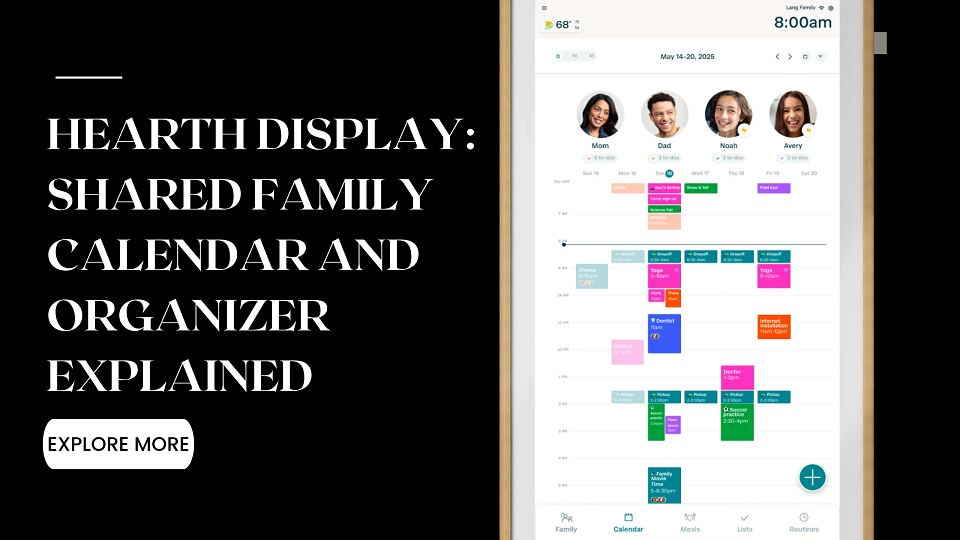
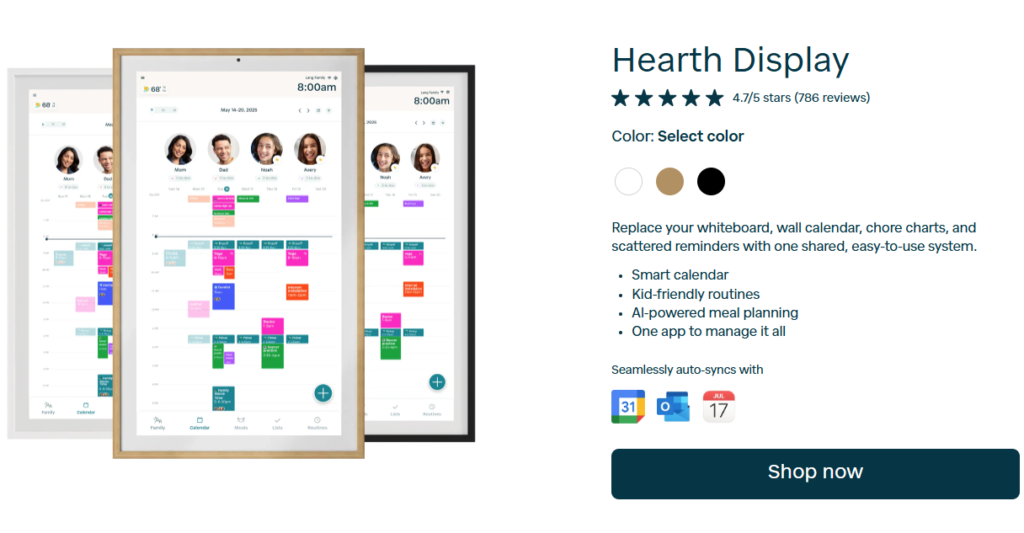
The calendar is the most-used feature for many families. It offers daily, weekly, and monthly views. In the daily view each family member can have a dedicated column, making it easier to spot conflicts or free time. The system syncs with Google Calendar, Apple Calendar (iCal), Outlook, and certain URL-based calendars such as school or sports schedules. Events can be added on the display itself, through the companion app, or via synced calendars.
Color-coding by person helps younger children quickly identify their own activities. External caregivers can be given shared access when needed.
Visual Routines and Rewards
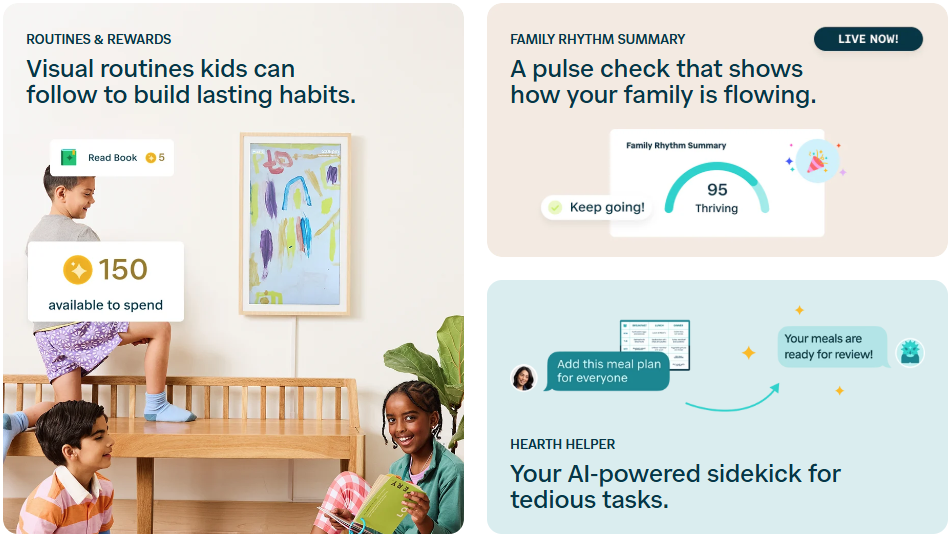
Routines use simple icons so children who cannot yet read can follow the steps. Families can create morning, after-school, bedtime, or custom sequences. Completing steps can earn stars that count toward parent-defined rewards. The goal is to support independence while giving adults visibility through the app.
Meal Planning and Shared Lists
A dedicated meal view shows what is planned for the week. Meals can be assigned when helpful. Shared lists cover groceries, packing, chores, or any recurring tasks. Lists are accessible on both the display and the mobile app, with private options available for items such as gift ideas.
Hearth Helper and Companion App
Hearth Helper is an AI-assisted tool available with the Family Membership. Users can text or send photos of paper schedules or invitations; the system prepares entries for approval before they appear on the shared calendar or meal plan. The companion app lets parents and caregivers add events, check off tasks, and update routines from anywhere. Changes sync to the wall display in real time.
Additional Everyday Tools
The display includes a weather widget, options for rotating family photos when idle, and privacy or sleep modes that dim the screen or switch to a photo wallpaper. Unlimited profiles and over-the-air software updates are part of the ongoing experience.
Design, Size, and Setup
The screen measures approximately 16.5 inches wide by 26.7 inches tall (27-inch diagonal) and is about 1.2 inches deep. Frame options typically include light wood, matte white, and matte black. Mounting hardware is included. Setup is designed to be straightforward once Wi-Fi and the Family Membership are connected. A 120-day risk-free home trial and a one-year warranty are offered according to the company’s current terms.
Placement in a high-traffic area such as a kitchen or hallway tends to work best so the display remains visible throughout the day.
Hearth Display Cost and Membership
Hardware list price is generally $699. Sale pricing is common and has brought the cost lower during promotions. Financing options may also be available through partners.
A Family Membership is required to complete setup and unlock the full feature set (routines, lists, Hearth Helper, meal planning tools, and ongoing software updates). The first month is typically free. After that, pricing is roughly $5.76–$9 per month depending on the plan chosen. Exact figures and any active promotions should be confirmed on the product page at the time of purchase.
The membership can be canceled, though doing so limits access to premium features while basic calendar functions remain available.
Who the Hearth Display Works Best For
The system is most useful for families with young children who benefit from visual schedules and clear, assignable tasks. Households managing school, activities, work calendars, and shared responsibilities often find the centralized view helpful. It is less essential for single adults or households that already coordinate effectively with phones and paper systems.
Points to weigh carefully:
- Upfront hardware cost plus ongoing membership
- Available wall space and preference for a permanently mounted screen
- Time needed to set up profiles, routines, and calendar connections
- Whether a visual, kid-focused design matches how your family prefers to organize
Independent reviews commonly note the clean design, ease of use for children, and convenience of a shared wall calendar. Observations also frequently mention the price and the need for the membership to access the complete feature set.
Frequently Asked Questions
What is included with the Hearth Display purchase?
The display unit, mounting hardware, power cord, and access to basic calendar syncing. Frame color options are available. Full feature access requires the Family Membership.
Do I need the Family Membership?
Yes, to complete initial setup and to use routines, lists, meal planning, Hearth Helper, and ongoing updates. The first month is free on most plans.
Can it sync with Google and Apple calendars?
Yes. Google Calendar, Apple Calendar (iCal), Outlook, and certain external URL calendars are supported.
Is the Hearth Display easy for young children to use?
The interface relies on large touch targets, color-coding, and simple icons so many pre-readers can follow routines and check off tasks with limited help.
How does the return policy work?
The company currently offers a 120-day risk-free home trial. Details and any conditions should be read on the official site before ordering.
Final Thoughts
The Hearth Display brings a shared calendar, visual routines, meal planning, and task lists onto one large wall-mounted screen designed for family use. Its strongest points are the clear daily view, kid-accessible routines, and the ability to keep everyone looking at the same information. The combination of hardware cost and membership means it is an investment rather than an impulse purchase.
If your household struggles with scattered schedules, constant verbal reminders, or the mental load of coordinating multiple people, the system is worth a close look. Start by reviewing the current pricing, trial terms, and feature list on the official site, then decide whether the always-visible shared view would simplify daily life in your home.
For the latest details, product options, and any active promotions, visit hearthdisplay.com.