Table Of Content
- 🎉 Exclusive Deals & Special Savings
- Why the NordVPN Kill Switch Matters
- How Does the NordVPN Kill Switch Work?
- How to Enable the NordVPN Kill Switch
- Windows
- macOS
- Android
- Linux
- Common Kill Switch Problems and Troubleshooting
- Pros and Cons of the NordVPN Kill Switch
- 💥 Limited-Time Offer & Huge Discounts
- Frequently Asked Questions
- Does NordVPN Kill Switch turn on automatically?
- Does the Kill Switch slow down internet speed?
- Can I use NordVPN without the Kill Switch?
- Does the Kill Switch hide my IP address?
- Is the Kill Switch available on every device?
- Conclusion
A VPN helps protect your online privacy by encrypting internet traffic and routing it through a VPN server. However, what happens if that connection suddenly drops while you are browsing, working remotely, or using public Wi-Fi? Depending on your device and settings, your internet traffic could continue without the VPN’s protection.
The NordVPN Kill Switch is designed to help prevent this situation by blocking internet access when the VPN connection unexpectedly disconnects. Understanding how this feature works can help you choose the appropriate settings for your device and avoid confusing connection interruptions. Whether you are new to VPNs or already use NordVPN regularly, knowing when the Kill Switch activates—and how to configure it—is an important part of managing your online privacy.
🎉 Exclusive Deals & Special Savings
Why the NordVPN Kill Switch Matters
VPN connections can drop due to unstable Wi-Fi, network switching, server issues, or device sleep. Without protection, apps may reconnect through your regular internet connection.
NordVPN’s Kill Switch helps block unprotected internet traffic during VPN disconnections. Its behavior depends on your operating system and selected settings.
This feature can be particularly valuable when handling sensitive work files, accessing accounts over public Wi-Fi, or maintaining a consistent VPN connection during everyday browsing.
How Does the NordVPN Kill Switch Work?
NordVPN’s Kill Switch blocks internet traffic if the VPN disconnects.
- VPN Connected: Traffic flows through the VPN tunnel.
- Connection Lost: NordVPN detects the interruption.
- Traffic Blocked: Unprotected traffic is restricted.
- VPN Restored: Internet access resumes according to your settings.

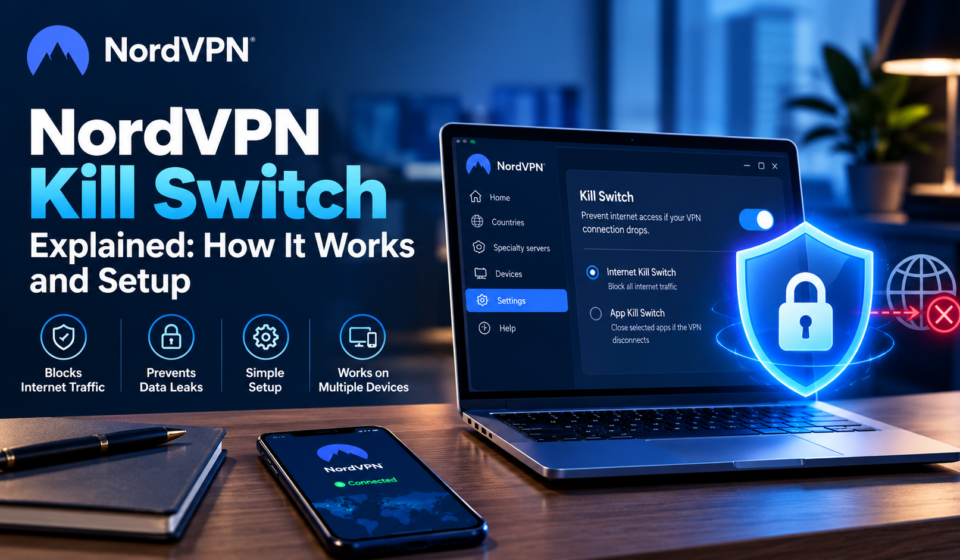
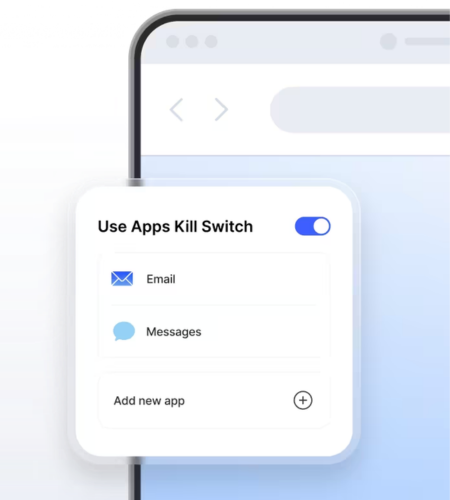
NordVPN offers different implementations. Its Windows Internet Kill Switch blocks internet access when disconnected from NordVPN, while its App Kill Switch closes selected applications. On Android, the supported Kill Switch blocks internet access system-wide when no VPN connection is active. Apple devices use platform-specific protection, and Linux has its own Kill Switch setting. NordVPN Customer Support
Remember that a Kill Switch is a protective measure, not a guarantee of complete anonymity. It does not replace secure passwords, software updates, or careful browsing habits.
How to Enable the NordVPN Kill Switch
Before changing settings, update the NordVPN app and confirm which version you have installed. Menu names and available controls can differ across platforms.
Windows
Open NordVPN and navigate to Settings. Find the Kill Switch option and enable the Internet Kill Switch if you want internet access blocked when the VPN disconnects. If you only need particular applications to stop communicating, review the App Kill Switch settings and select the relevant programs.
macOS
The available protection depends on how NordVPN was installed. The Mac App Store version uses VPN bypass prevention, managed through the VPN connection settings. The website version offers an App Kill Switch that terminates application connections if the VPN drops. Check your installed version before following instructions intended for another macOS app. NordVPN Customer Support
Android
Open NordVPN and locate the Kill Switch setting. On supported Android versions, it blocks internet access when no VPN connection is active. Android’s system-level Always-on VPN setting may provide additional connection controls, depending on your device and operating-system version.
Linux
Open a terminal and use the NordVPN command-line interface. The official command to enable the feature is:
nordvpn set killswitch on
To turn it off, use nordvpn set killswitch off. You can check your current settings with nordvpn settings. NordVPN Customer Support
For iPhone, iPad, and other supported devices, consult the instructions for your specific NordVPN app rather than assuming every platform has an identical toggle.
Common Kill Switch Problems and Troubleshooting
If your internet stops working after enabling Kill Switch:
- Check your VPN connection.
- Reconnect or try another server.
- Restart and update NordVPN.
- Review Kill Switch and split tunneling settings.
- Consult official troubleshooting guidance if the issue persists.
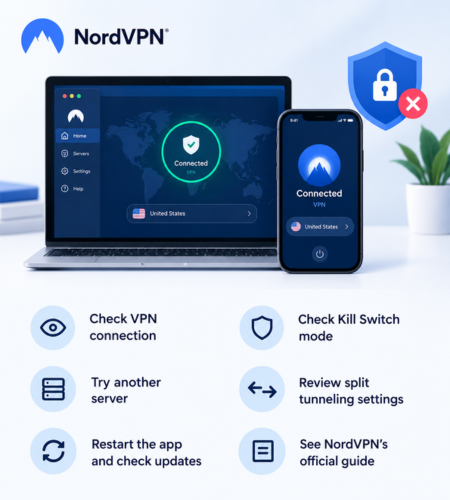
NordVPN explains that the Internet Kill Switch takes priority over split tunneling when the VPN is disconnected. This can leave excluded applications without internet access until the connection or settings are corrected. NordVPN Customer Support
Pros and Cons of the NordVPN Kill Switch
Pros
- Helps prevent traffic from leaving the device outside the VPN connection.
- Offers different protection approaches for supported platforms.
- Can restrict all internet traffic or selected applications, depending on the implementation.
- Provides an additional safeguard during unexpected VPN disconnections.
Cons
- Internet access may stop until the VPN reconnects.
- Settings and protection behavior differ between operating systems.
- Some applications or network activities may be disrupted.
- It does not protect against every privacy or security risk.
💥 Limited-Time Offer & Huge Discounts
Frequently Asked Questions
Does NordVPN Kill Switch turn on automatically?
Do not assume it is enabled. Availability and default behavior depend on the platform and feature. Check your app’s settings to confirm its current status.
Does the Kill Switch slow down internet speed?
Its primary purpose is to control traffic during VPN disconnections, rather than increase connection speed. Your normal VPN speed depends on factors such as server distance, network quality, and protocol.
Can I use NordVPN without the Kill Switch?
Yes. You can choose whether to enable the feature where the app provides that option. However, disabling it may allow internet traffic to continue outside the VPN after a disconnection.
Does the Kill Switch hide my IP address?
It helps reduce the risk of exposing your ordinary IP address through an unprotected connection when the VPN drops. Its effectiveness depends on the platform, settings, and circumstances.
Is the Kill Switch available on every device?
No. Implementation and feature availability vary by platform. Check NordVPN’s current support documentation for your specific operating system and app version. NordVPN Customer Support
Conclusion
The NordVPN Kill Switch is a useful privacy safeguard for people who want to reduce the risk of unprotected internet traffic when a VPN connection fails. Understanding the difference between system-wide blocking and application-specific protection helps you select settings that suit your needs.
If you are considering NordVPN, explore its official website to review its current plans, supported devices, and security features. Choose the configuration that balances your privacy requirements with the applications and services you need to use.