Table Of Content
- Save More on Every Order – Grab the Latest Coupons & Deals
- Step 1: Choose Your Blog Niche
- Step 2: Pick a Memorable Domain Name
- Step 3: Select Suitable WordPress Hosting
- Step 4: Install WordPress
- Step 5: Customize Your Blog
- Step 6: Publish Your First Blog Post
- How Bluehost Fits Into Your Blogging Journey
- Save More on Every Order – Grab the Latest Coupons & Deals
- Frequently Asked Questions
- Is WordPress suitable for beginners?
- Can I start a WordPress blog for free?
- Do I need a domain name before buying hosting?
- How much does it cost to start a WordPress blog?
- Is Bluehost a good option for a new blog?
- Conclusion
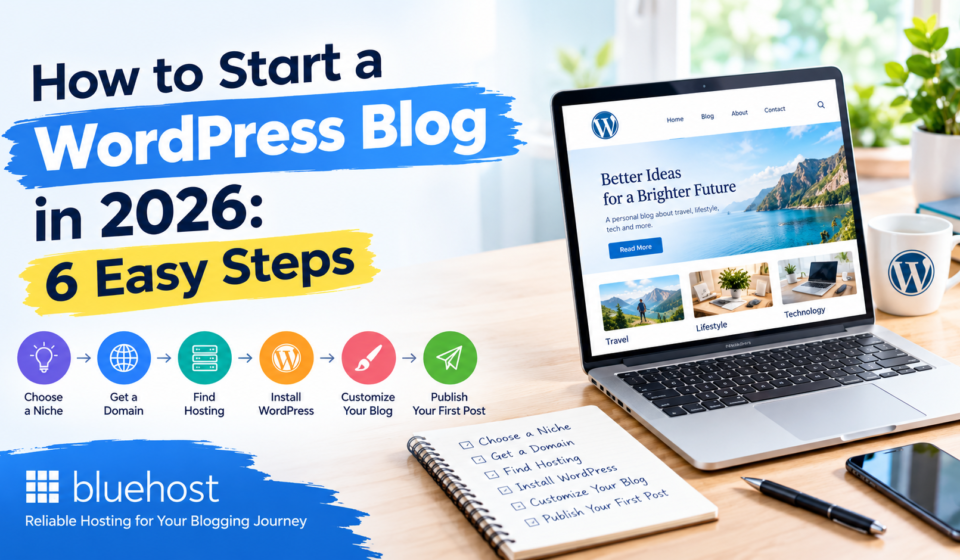
Starting a blog is an exciting way to share your knowledge, document your interests, build an online presence, or develop a business. However, if you are new to website creation, choosing a platform, registering a domain, and finding reliable hosting can feel overwhelming. The good news is that learning how to start a WordPress blog in 2026 does not require advanced coding skills. With a clear plan and the right tools, you can build a professional-looking website one step at a time.
WordPress gives you flexibility over your website’s design and content, while a hosting provider such as Bluehost can help simplify the technical setup. Follow these six essential steps to establish your blog and prepare it for its first visitors.
Save More on Every Order – Grab the Latest Coupons & Deals:
Step 1: Choose Your Blog Niche
our niche is the main subject your blog will cover. Choosing a clear topic helps you develop relevant content and gives readers a reason to return.
Start with subjects you enjoy, understand, or are willing to research consistently. Popular possibilities include travel, personal finance, home improvement, technology, food, lifestyle, and digital marketing.
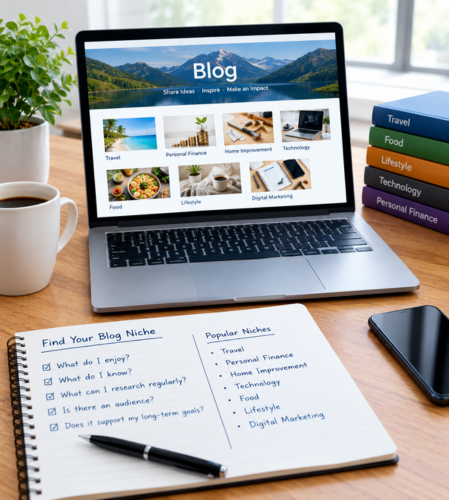
Before settling on a niche, consider three questions:
- Can you develop useful content about this subject regularly?
- Are people interested in learning about it?
- Could the blog support your long-term goals?
You do not need to cover every possible topic. A focused approach can make planning articles and understanding your audience easier.
Step 2: Pick a Memorable Domain Name
A domain name is your website’s address. It should be easy to remember, spell, and associate with your blog’s subject or identity.
Aim for a short, recognizable name that will still suit your website if your interests expand. Avoid confusing spellings, unnecessary numbers, and complicated combinations of words.
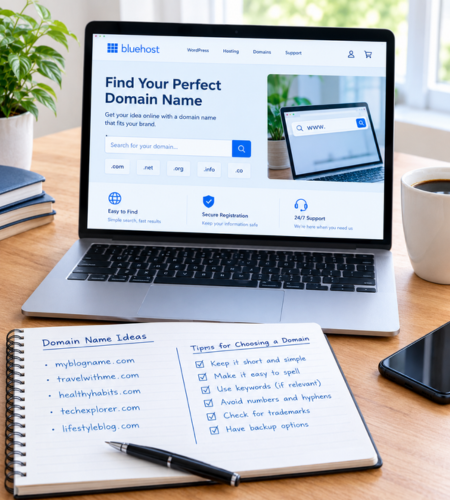
Check whether your preferred domain is available before committing to a name. Also, consider whether the name is already associated with another brand or trademark.
Write down a few alternatives in case your first choice is unavailable. Remember that domain registration and renewal costs can vary depending on the extension and provider.
Step 3: Select Suitable WordPress Hosting
Web hosting stores your website’s files and makes them accessible online. Choosing a suitable hosting plan is an important part of creating a WordPress blog.
Compare providers based on the resources included, ease of setup, security features, support availability, and renewal pricing. Beginners should also check whether the plan supports WordPress installation and provides the resources their expected website needs.
Bluehost offers WordPress hosting options designed for people creating blogs and websites. Depending on the selected plan and current terms, features may include a domain for the first year, SSL, WordPress setup tools, and customer support. Check the current plan details before purchasing.
Do not choose a hosting service based on its introductory price alone. Review the renewal rate, billing period, included features, and any additional charges to understand the longer-term cost.
Step 4: Install WordPress
After arranging your domain and hosting, the next step is to set up WordPress.
Many hosting providers offer guided installation, making the process more accessible to beginners. If you choose Bluehost, follow the setup instructions available in your account dashboard. The exact steps may vary depending on the hosting product and interface.
Once WordPress is installed, sign in to your website’s administration dashboard. This is where you manage posts, pages, themes, settings, and other parts of your blog.
Take time to explore the dashboard before making major changes. Set your site title, check your general settings, and confirm that your website address is correct. Keep your login credentials secure and use a strong password.
Step 5: Customize Your Blog
Your blog’s design should make its content easy to read and navigate. Start with a WordPress theme that suits your niche and works well on mobile devices.
You can then customize the colors, typography, header, homepage, and navigation to create a consistent appearance. Avoid adding unnecessary design elements that distract visitors from your content.
Create essential pages such as About, Contact, and Privacy Policy. Depending on your website’s activities and audience, additional disclosures or legal pages may also be appropriate.
Organize posts into meaningful categories so readers can find related information. Install only the plugins you need, and review their maintenance, compatibility, and security before adding them.
Step 6: Publish Your First Blog Post
Your first post should answer a specific question or solve a clear problem for your intended audience. Choose a topic that fits your niche and offers practical value.
Create a descriptive headline, organize the article with relevant headings, and use short paragraphs for readability. Include original information, helpful examples, and relevant images where they improve the reader’s understanding.
Before publishing, proofread the content and check the page on desktop and mobile screens. Make sure the formatting looks correct, images load properly, and navigation works as expected.
After publication, share your article through relevant channels and review how visitors interact with your website. Consistent publishing, useful content, and periodic improvements can help you build a stronger blog over time.
How Bluehost Fits Into Your Blogging Journey
Choosing hosting is one of the most important early decisions because it affects how you set up and manage your website. Bluehost provides hosting solutions for WordPress users, making it an option worth evaluating if you prefer a guided starting process.
Choose a plan based on your budget, website needs, features, and support requirements.

Consider the initial price alongside renewal costs, backup arrangements, security provisions, and the resources available for your expected traffic. This approach helps you choose a plan based on practical needs rather than marketing claims.
Save More on Every Order – Grab the Latest Coupons & Deals:
Frequently Asked Questions
Is WordPress suitable for beginners?
Yes. WordPress provides a dashboard for managing content and a range of themes and plugins. Beginners can create a blog without writing code, although some customization and maintenance tasks may require learning.
Can I start a WordPress blog for free?
WordPress software is available for free, but a self-hosted website generally requires paid hosting and may involve domain registration, premium themes, or other expenses.
Do I need a domain name before buying hosting?
Not necessarily. Some hosting providers let you register a domain during checkout, while others allow you to connect a domain you already own.
How much does it cost to start a WordPress blog?
The cost depends on your hosting plan, domain registration, and optional tools. Promotional hosting prices may differ from renewal prices, so check the complete terms before committing.
Is Bluehost a good option for a new blog?
Bluehost is one option to consider because it offers WordPress hosting and beginner-oriented setup features. Compare its current plans, support, renewal pricing, and included services with your requirements before deciding.
Conclusion
Learning how to start a WordPress blog in 2026 becomes more manageable when you break the process into six steps: choose a niche, select a domain, arrange hosting, install WordPress, customize your website, and publish helpful content.
Build a clear foundation before investing in unnecessary tools or design features. If you want a hosting provider with WordPress-focused setup options, explore Bluehost’s current offerings and check the terms carefully. With thoughtful planning and consistent effort, you can create a blog that grows alongside your skills and goals.