Table Of Content
- Save More on Every Order – Grab the Latest Coupons & Deals
- Why Does WordPress Website Cost Matter?
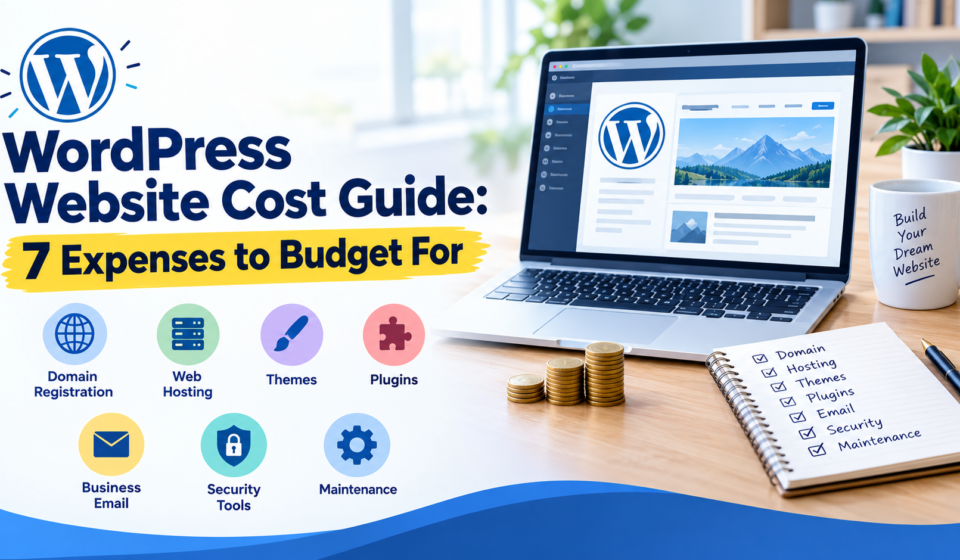
- 7 Expenses to Budget for Before Launch
- 1. Domain Registration
- 2. Website Hosting
- 3. WordPress Themes
- 4. Plugins and Additional Features
- 5. Business Email
- 6. Backup and Security Tools
- 7. Website Maintenance
- How Bluehost Fits Your Website Budget
- How to Estimate Your Total Website Cost
- Save More on Every Order – Grab the Latest Coupons & Deals
- Frequently Asked Questions
- How much does a WordPress website cost?
- Is WordPress free to use?
- Does Bluehost include a free domain?
- Are premium WordPress plugins necessary?
- Why is website renewal more expensive?
- Conclusion
Launching a website can be an exciting step for a business, blogger, freelancer, or online entrepreneur. However, understanding the WordPress website cost before getting started can help you avoid unexpected expenses and make better financial decisions. Although WordPress software is available for free, running a professional website may involve domain registration, web hosting, themes, plugins, email, security, and ongoing maintenance.
The total cost depends on the type of website you want, the features you need, and how much work you plan to handle yourself. A simple blog generally requires fewer resources than an online store or a business website with advanced functionality. Hosting providers such as Bluehost offer WordPress hosting plans with different features, making it easier to compare your options before choosing a suitable setup.
Save More on Every Order – Grab the Latest Coupons & Deals:
Why Does WordPress Website Cost Matter?
Plan your website budget by separating costs into three categories:
- Essential: Domain and hosting.
- Optional: Premium themes, plugins, and email.
- Ongoing: Renewals, security, backups, and maintenance.

Your website does not need every premium feature from day one. Start with what supports your goals and expand when your needs change.
7 Expenses to Budget for Before Launch
1. Domain Registration
A domain name is your website’s address, such as yourbusiness.com. Choosing a memorable, relevant name can make your website easier for visitors to recognize.
Standard domains commonly cost around $10–$20 annually, although prices vary by extension, registrar, and renewal terms. Premium domains can cost considerably more.
Before registering, check the initial price, renewal fee, privacy options, and registration period. Some hosting packages include a domain for the first year, which can reduce your initial expenses. Remember that the domain may renew at a separate price afterward.
2. Website Hosting
Web hosting stores your website’s files and makes them accessible online. Your hosting plan can influence website performance, available storage, security features, and the support you receive.
Shared hosting is often suitable for beginners, personal blogs, and smaller websites. More demanding websites may eventually require additional resources or managed hosting.
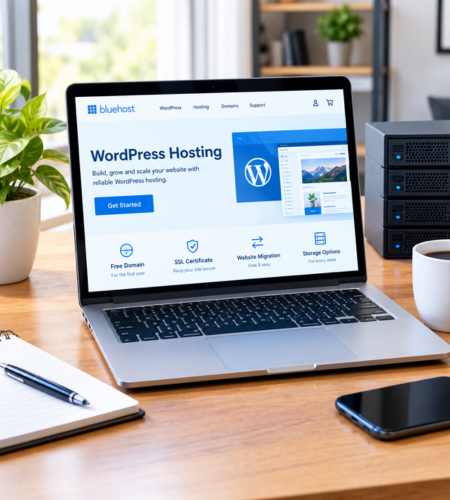
Bluehost offers WordPress hosting plans with features such as a first-year domain, SSL certificates, website migration tools, and different storage allowances, depending on the selected plan.
Compare the introductory price with the renewal price before purchasing. Also check the billing term, included features, and whether additional services cost extra.
3. WordPress Themes
A theme controls much of your website’s appearance, including layouts, typography, and visual styling.
Free WordPress themes can be sufficient for blogs, portfolios, and small business websites. Premium themes may offer additional templates, customization options, or specialized layouts.
Choose a theme that works well on mobile devices and receives regular updates. Avoid purchasing an expensive design simply because it looks attractive in a demonstration. A lightweight, well-maintained theme that meets your requirements may be a better investment.
4. Plugins and Additional Features
Plugins extend WordPress functionality. Depending on your goals, you might need tools for search engine optimization, contact forms, website performance, online payments, or appointment bookings.
Many plugins offer free versions, while premium versions may charge annually or require a one-time payment.
Start by listing the features your website genuinely needs. Check compatibility, update history, support availability, and recurring fees before installing a paid tool. Using too many unnecessary plugins can also make website management more complicated.
5. Business Email
A professional email address using your domain can help create a consistent business identity. For example, a business might use an address ending in its own domain instead of a general personal email address.
Some hosting packages include email features or introductory trials, while other services charge separately. Bluehost’s published hosting information includes a professional email trial on certain plans, with paid renewal terms applying afterward.
Before choosing an email service, check mailbox storage, the number of accounts, renewal pricing, and whether the service includes the features your business requires.
6. Backup and Security Tools
Website security is an important part of protecting your content, customer information, and business operations. An SSL certificate helps encrypt information exchanged between a visitor’s browser and your website.
Other useful protections may include malware scanning, firewalls, secure authentication, and regular backups. Some hosting plans include selected security and backup features, while advanced tools may cost extra.
Check exactly what your hosting provider includes. For example, weekly backups may not meet every website owner’s recovery requirements. Consider how frequently your website changes and whether you need more frequent backups or an independent backup copy.
7. Website Maintenance
Launching a website is only the beginning. WordPress software, themes, and plugins need ongoing attention to keep everything compatible and functioning properly.
Maintenance may include installing updates, checking backups, monitoring website performance, reviewing security, fixing broken pages, and refreshing outdated content.
If you manage these tasks yourself, your main investment may be time. Hiring a professional or purchasing a maintenance service adds to your budget, but may be useful if you lack technical experience or run a business-critical website.
How Bluehost Fits Your Website Budget
Bluehost is a hosting provider offering WordPress-focused services for people who want to create and manage websites. Its official WordPress hosting plans provide different combinations of storage, website capacity, support, and security features.
Compare Bluehost’s introductory and renewal prices. Before purchasing, check included features such as the domain, SSL certificate, backups, and other essential tools.

The right plan depends on your website’s expected traffic, number of websites, and required functionality. A basic blog may not need the same resources as a growing business or online shop.
How to Estimate Your Total Website Cost
Create a simple budget that separates one-time expenses from recurring payments.
| Expense | Budget consideration |
|---|---|
| Domain | Registration and annual renewal |
| Hosting | Initial payment and renewal |
| Theme | Free or premium design |
| Plugins | Free tools and paid licenses |
| Included service or separate subscription | |
| Security | Included protection and extra tools |
| Maintenance | Your time or professional support |
Your first-year total may differ substantially from your second-year total because introductory hosting prices, promotional domain offers, and trial services can change after the initial period.
Save More on Every Order – Grab the Latest Coupons & Deals:
Frequently Asked Questions
How much does a WordPress website cost?
A basic website may cost relatively little if you use a free theme, essential plugins, and affordable hosting. A customized business website or online store can cost significantly more.
Is WordPress free to use?
WordPress software is free, but you may need to pay for hosting, a domain, premium themes, plugins, and maintenance.
Does Bluehost include a free domain?
Eligible Bluehost WordPress hosting plans include a domain for the first year. Renewal fees and eligibility depend on the offer and domain selected.
Are premium WordPress plugins necessary?
No. Many websites can begin with free plugins. Pay for premium features only when they provide a clear benefit to your website.
Why is website renewal more expensive?
Introductory offers may have different pricing from standard renewal rates. Review the full billing terms before committing to a long-term plan.
Conclusion
Understanding the WordPress website cost before launch helps you prepare for both initial setup and long-term ownership. Domain registration, hosting, themes, plugins, email, security, and maintenance are the seven main expenses worth reviewing.
Keep your initial setup simple, prioritize essential features, and compare renewal terms carefully. Bluehost is one option to consider when evaluating WordPress hosting, particularly if you prefer several website services managed through one provider. Review the available plans and choose the setup that fits your website goals and budget.