Table Of Content
- 🎉 Save More on Every Order – Grab the Latest Coupons & Deals
- 1. Smart Bike Trainer
- 2. Cycling Mat
- 3. Training Fan
- 4. Heart Rate Monitor
- 5. Training Display or Desk
- How to Build Your Setup on a Budget
- Pros and Cons of a Wahoo-Based Setup
- 🎉 Save More on Every Order – Grab the Latest Coupons & Deals
- Frequently Asked Questions
- What do I need for a basic indoor cycling setup?
- Is the Wahoo KICKR CORE 2 suitable for beginners?
- Is a smart fan necessary for indoor cycling?
- Do I need a heart rate monitor for Zwift or other cycling apps?
- How much does an indoor cycling setup cost?
- Conclusion
A well-planned indoor cycling setup can make it easier to train at home when the weather, daylight, or daily schedule makes outdoor riding inconvenient. You do not need to fill an entire room with expensive equipment. The most useful approach is to start with the essentials that suit your bicycle, training style, available space, and budget.
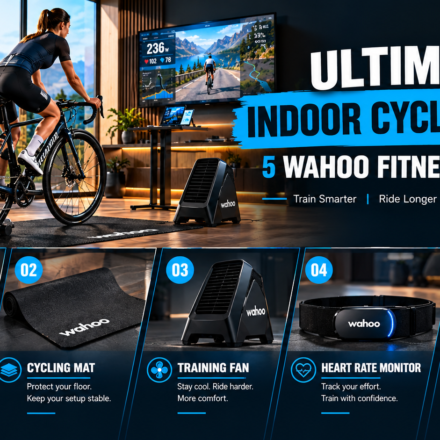
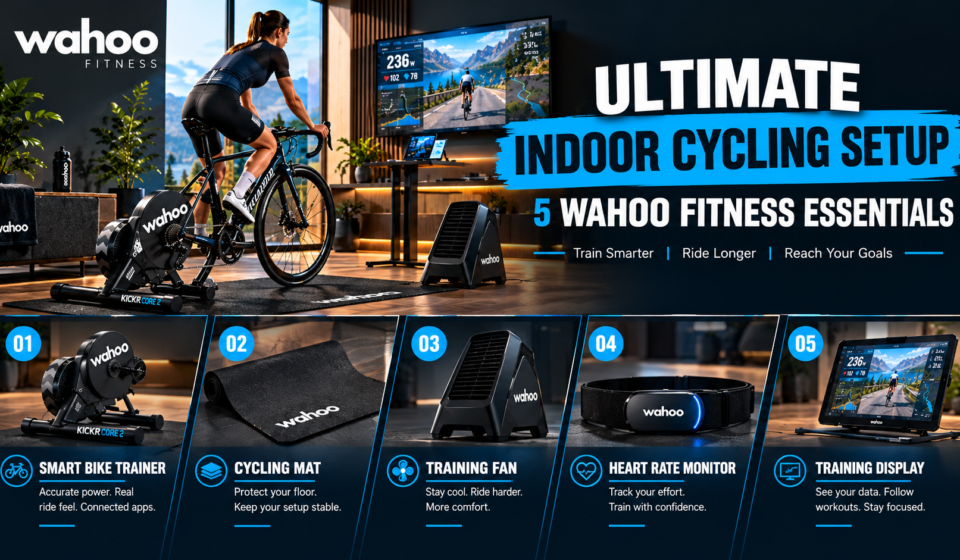
This guide to an ultimate indoor cycling setup covers five useful categories: a smart bike trainer, a cycling mat, a training fan, a heart rate monitor, and a training display. Each serves a different purpose, from providing adjustable resistance to improving comfort and helping you follow workouts. Wahoo Fitness offers products across several of these categories, allowing riders to explore compatible equipment and build their setup gradually instead of buying everything at once.
🎉 Save More on Every Order – Grab the Latest Coupons & Deals
1. Smart Bike Trainer
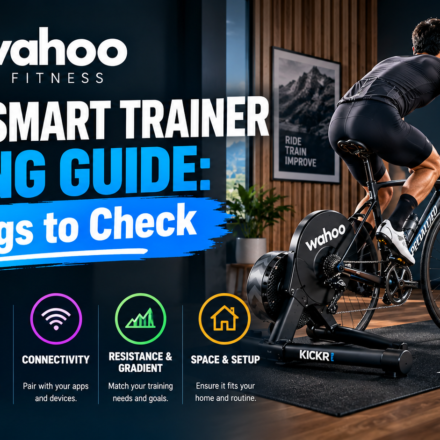
The smart trainer is the foundation of most indoor cycling setups. It holds your bicycle in place and provides resistance, while compatible training apps can guide workouts and simulate virtual routes.
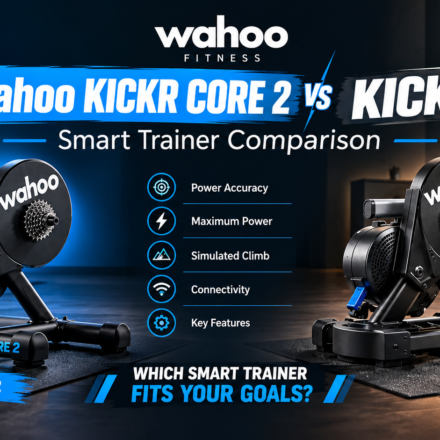
Wahoo’s KICKR CORE 2 offers power measurement, wireless connectivity, and gradients up to 16%. The standard KICKR supports up to 2,200 watts and 20% gradients, making it better suited to demanding workouts.

Before buying, check your bike’s axle and drivetrain compatibility, the trainer’s included accessories, and whether you need a cassette or a virtual-shifting setup. A smart trainer is typically the biggest expense, so it makes sense to choose this component first.
2. Cycling Mat
A cycling mat helps create a defined training area beneath your bicycle and trainer. It can protect flooring from sweat, help keep equipment in one place, and make post-workout cleanup easier.
Wahoo’s KICKR MAT is designed for use with indoor cycling equipment. The official store listed it at $89.99 when researched, although current prices and availability may vary.
Measure the area beneath your bike and trainer before choosing a mat. Make sure it accommodates the trainer’s feet and leaves enough room for safe mounting and dismounting. If you train in a shared room, a mat can also help separate the cycling area from the rest of the space.
3. Training Fan
Indoor riding can feel warmer than outdoor cycling because you have less natural airflow. A fan helps move air across your body, making longer sessions more comfortable.
Wahoo’s KICKR HEADWIND is a purpose-built training fan that can connect with compatible Wahoo devices and sensors. Its official product listing showed a price of $319.99 during research.
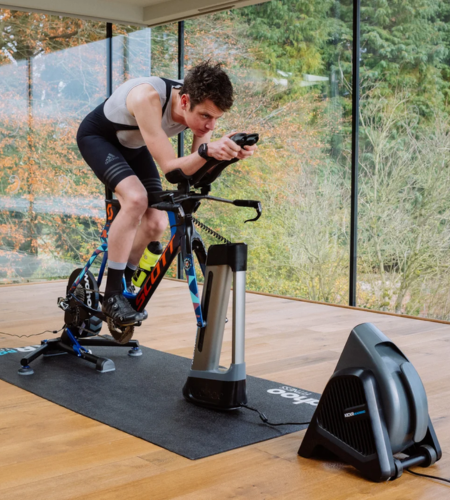
A dedicated smart fan is not essential for everyone. A regular household fan may be a practical starting point if your budget is limited. Consider where the airflow will reach your face and torso, how the fan can be positioned safely, and whether its controls are easy to reach while riding.
4. Heart Rate Monitor
A heart rate monitor can help you understand how your body responds to different training efforts. When paired with a compatible app or device, it provides heart rate data that can support workout planning and intensity tracking.
Wahoo currently offers options including the TRACKR HEART RATE chest strap and TICKR FIT optical armband. The chest strap measures heart activity through a chest-worn sensor, while the armband uses optical sensing. Their wearing styles and specifications differ, so comfort and compatibility should influence your choice.
Check the connection options supported by your preferred training app. Bluetooth and ANT+ support can be useful when pairing sensors with multiple types of cycling equipment, but not every setup requires both. If you are new to indoor cycling, you can also start without a separate monitor and add one when heart rate data becomes useful to your routine.
5. Training Display or Desk
A screen makes it easier to follow virtual routes, structured workouts, and ride statistics without repeatedly checking a small phone. You could use a tablet, laptop, television, or compatible cycling computer, depending on your training app and available equipment.
Wahoo’s KICKR Desk is an adjustable stand designed to keep devices and other essentials within reach while riding. It includes holders for a phone or tablet and space for accessories such as water bottles. The official US listing showed a price of $229.99 during research.
You do not need to purchase a dedicated desk if you already have a stable, appropriately positioned stand. The important thing is to keep the display easy to see without straining your neck, and to place bottles and controls where you can reach them safely.
How to Build Your Setup on a Budget
Build your home cycling setup gradually based on your needs.
- Essentials: Get a compatible trainer and safe riding space.
- Comfort: Add a mat and fan if needed.
- Tracking: Use a heart rate monitor to monitor workout intensity.
- Convenience: Add a desk or larger screen for easier workouts.

Wahoo’s indoor cycling range includes trainers, accessories, sensors, and other connected equipment. Comparing these categories can help you build a setup gradually instead of spending money on features you may not use.
Pros and Cons of a Wahoo-Based Setup
Pros
- Multiple trainer options for different training needs and budgets.
- Compatible sensors and accessories can support a connected indoor cycling routine.
- A modular setup lets you add equipment over time.
- Dedicated accessories are available for comfort and convenience.
Cons
- A smart trainer and several accessories can represent a significant investment.
- Bike and device compatibility need checking before purchase.
- Dedicated fans and desks may be unnecessary for casual riders.
- Final costs depend on the trainer configuration and additional equipment you choose.
🎉 Save More on Every Order – Grab the Latest Coupons & Deals
Frequently Asked Questions
What do I need for a basic indoor cycling setup?
Start with a compatible bicycle and trainer, a safe riding area, and a suitable device or app if you want guided workouts. A fan and mat are useful additions but are not mandatory for every rider.
Is the Wahoo KICKR CORE 2 suitable for beginners?
It can suit beginners who want a direct-drive smart trainer with power measurement and app connectivity. Check the exact bicycle compatibility, included components, and setup requirements before purchasing.
Is a smart fan necessary for indoor cycling?
No. A fan can improve comfort during indoor workouts, but a regular fan may be sufficient for many riders. A dedicated model is worth considering if you want specialized controls and integration with compatible equipment.
Do I need a heart rate monitor for Zwift or other cycling apps?
Not necessarily. You can use compatible apps without a separate heart rate monitor, depending on the app and your setup. A monitor adds heart rate data when you want to track training intensity.
How much does an indoor cycling setup cost?
The total depends on your trainer, display, and accessories. Wahoo’s official US listings showed the KICKR CORE 2 at $549.99, KICKR MAT at $89.99, KICKR HEADWIND at $319.99, and KICKR Desk at $229.99 during research. These prices can change, and a complete setup does not require every item.
Conclusion
The best indoor cycling setup is one that fits your bicycle, home, budget, and training goals. A smart trainer provides the foundation, while a cycling mat, fan, heart rate monitor, and training display can add comfort, useful data, and convenience as your routine develops.
Use this guide to prioritize what you genuinely need, check compatibility, and compare features before purchasing. Wahoo Fitness offers a range of indoor cycling equipment to explore, so review its current product information and choose the components that make sense for your space and riding habits.