Table Of Content
- Save More on Every Order – Grab the Latest Coupons & Deals
- 1. Kill Switch
- 2. Dark Web Monitor
- 3. Split Tunneling
- 4. Double VPN
- 5. Meshnet
- 6. Scam and Phishing Protection
- Which Features Matter Most?
- Pricing and Plan Considerations
- Pros and Cons
- Frequently Asked Questions
- What is the most important NordVPN feature?
- Does NordVPN monitor leaked information?
- What does Double VPN do?
- Can NordVPN protect multiple devices?
- Is a VPN enough for complete online security?
- Related Resources
- Save More on Every Order – Grab the Latest Coupons & Deals
- Conclusion
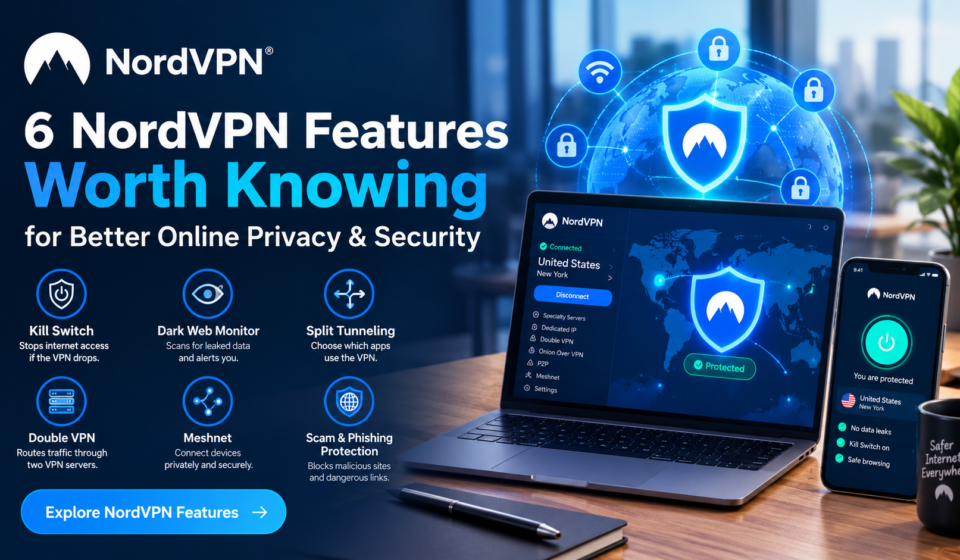
Online privacy involves more than hiding an IP address. The networks you use, the links you open, and the accounts you manage can all affect your digital security. Understanding the main NordVPN features can help you decide which tools are relevant to everyday browsing, remote work, travel, or website management. NordVPN combines its VPN service with additional privacy and security tools, including Kill Switch, Dark Web Monitor, Split Tunneling, Double VPN, Meshnet, and scam and phishing protection. Each feature has a different purpose. Understanding what each tool does can help you determine whether it fits your particular online routine.
Save More on Every Order – Grab the Latest Coupons & Deals:
1. Kill Switch
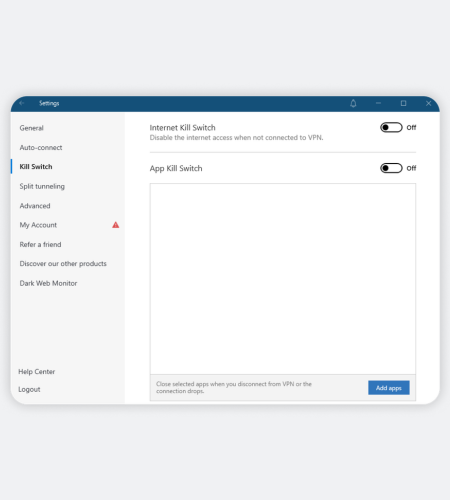
A VPN connection can occasionally drop. NordVPN’s Kill Switch is designed to prevent internet traffic from continuing outside the VPN when that happens. On supported platforms, it can cut internet access or close selected apps until the connection is restored. This can be useful on public Wi-Fi or when handling information you prefer not to send through an unprotected connection.
2. Dark Web Monitor
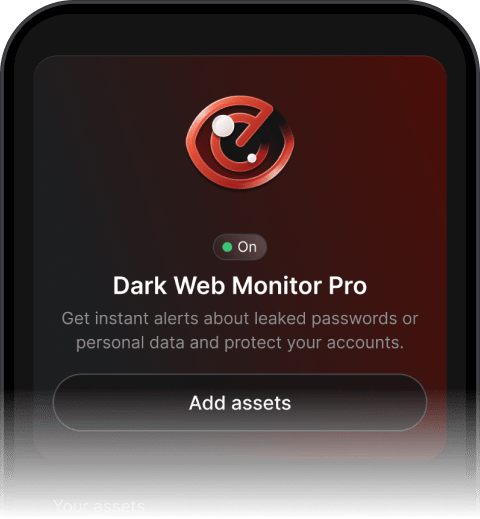
Dark Web Monitor focuses on possible exposure of account information after a data leak. NordVPN says the feature monitors selected email addresses and other supported assets and sends an alert when potential exposure is detected. The standard feature can monitor up to five email addresses, while Dark Web Monitor Pro supports additional assets depending on the plan. An alert is a reason to investigate and take protective steps, such as changing affected passwords.
3. Split Tunneling
Not every app necessarily needs to use a VPN connection. Split Tunneling lets you choose which applications use the VPN while other traffic uses your regular internet connection. This can be useful when a service works better with your normal connection or when you want more control over different apps. NordVPN documents Split Tunneling as an option for selecting which apps remain under VPN protection, although availability can vary by platform.
4. Double VPN
Double VPN sends traffic through two VPN servers instead of one. NordVPN says this provides an additional layer of encryption and changes the IP address twice. It is intended for situations where extra privacy is more important than keeping the connection as simple as possible. Because traffic takes an additional routing step, it may not be necessary for ordinary browsing.
5. Meshnet
Meshnet is designed for private connections between devices rather than simply connecting to a standard VPN server. NordVPN describes it as a secure private network that can connect your devices and allow remote access between them. Listed uses include file sharing, remote file storage, and routing traffic through connected devices.
6. Scam and Phishing Protection
NordVPN’s current documentation describes scam and phishing protection as a tool that can block malicious websites, intrusive ads, and trackers while warning about fraudulent sites. Broader protection features can include malware scanning, depending on the product and platform. NordVPN notes that some app interfaces may still show older Threat Protection terminology while updates roll out. This feature can add a browsing safeguard, but it should not replace careful link checking, updated software, or secure account practices.
Which Features Matter Most?
The right VPN features depend on your needs. Kill Switch and encryption support basic protection, while Dark Web Monitor helps monitor exposed credentials. Split Tunneling enables selective routing, Double VPN adds extra routing, and Meshnet supports private device connections. Scam and phishing protection provides an additional layer while browsing.
A VPN is only one part of online security. Strong unique passwords, multi-factor authentication, software updates, backups, and careful browsing remain important.
Pricing and Plan Considerations
NordVPN’s official pricing page currently lists Basic, Complete, and Prime plans, with prices varying by subscription period. It states that plans can support up to 10 simultaneous device connections and include a 30-day money-back guarantee. Features such as Dark Web Monitor Pro vary by plan, so check the current comparison before subscribing.
Pros and Cons
Pros
- Several privacy and security tools in one service.
- Features address different use cases, from connection protection to private device networking.
- Dark Web Monitor can alert users to potential data exposure.
- Up to 10 simultaneous device connections are currently listed.
Cons
- Feature availability varies by platform and plan.
- Some advanced tools may be unnecessary for basic VPN users.
- A VPN does not replace MFA, backups, updates, or safe browsing habits.
Frequently Asked Questions
What is the most important NordVPN feature?
There is no single feature for everyone. Kill Switch is useful for connection protection, while the other tools address different privacy and security needs.
Does NordVPN monitor leaked information?
Its Dark Web Monitor can monitor supported information and alert you when potential exposure is detected. Monitoring options depend on the feature and plan.
What does Double VPN do?
It routes traffic through two VPN servers instead of one, adding another encryption and routing layer.
Can NordVPN protect multiple devices?
NordVPN currently states that one account can secure up to 10 devices simultaneously.
Is a VPN enough for complete online security?
No. A VPN protects the connection layer, while passwords, MFA, updates, backups, and cautious browsing address other risks.
Related Resources
For a broader look at the service, including pricing and safety considerations, see our [NordVPN reviews, price, safety, and full 2026 guide]NordVPN reviews, price, safety, and full 2026 guide.
Save More on Every Order – Grab the Latest Coupons & Deals:
Conclusion
The six NordVPN features covered here address different privacy and security needs. Kill Switch focuses on connection protection, Dark Web Monitor on possible data exposure, Split Tunneling on traffic control, Double VPN on additional routing, Meshnet on private device connections, and scam and phishing protection on browsing safeguards. Understanding those differences makes it easier to evaluate what fits your workflow. To explore current features, plans, and device support, visit the official NordVPN store and compare the options with your security needs in mind.