Table Of Content
- Save More on Every Order – Grab the Latest Coupons & Deals
- Why Avoiding VPN Mistakes Matters
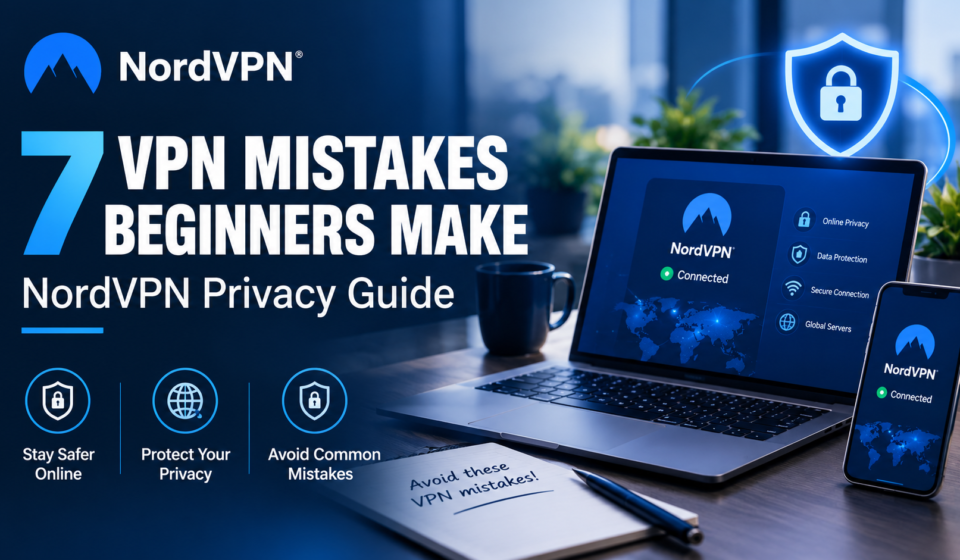
- 7 VPN Mistakes Beginners Should Avoid
- 1. Expecting Complete Anonymity
- 2. Ignoring the Privacy Policy
- 3. Choosing a VPN Based Only on Price
- 4. Downloading VPN Apps From Untrusted Sources
- 5. Forgetting Software Updates
- 6. Ignoring the Connection Status
- 7. Skipping Basic Security Habits
- How NordVPN Fits Into a Privacy Routine
- Pros and Cons of Using a VPN
- Save More on Every Order – Grab the Latest Coupons & Deals
- Frequently Asked Questions
- Does a VPN make you completely anonymous?
- Should beginners use a VPN on public Wi-Fi?
- Is a free VPN always unsafe?
- How can I check whether my VPN is working?
- Does a VPN protect against viruses and phishing?
- Conclusion
Using a virtual private network (VPN) can be a useful step toward improving online privacy, but installing one does not automatically make every online activity secure. Beginners may assume they are completely anonymous, overlook important privacy settings, or forget to check whether their connection is active. These small mistakes can reduce the protection they expect from a VPN.
Understanding common VPN mistakes helps you make better decisions when browsing, shopping, working remotely, or connecting to public Wi-Fi. It also helps you understand what a VPN can and cannot do. NordVPN is one service worth comparing when researching online privacy tools, but choosing a provider is only part of the process. Safe downloads, updated software, strong passwords, and careful browsing habits remain important parts of everyday digital security.
Save More on Every Order – Grab the Latest Coupons & Deals:
Why Avoiding VPN Mistakes Matters
A VPN encrypts supported internet traffic between your device and a VPN server and typically replaces your visible IP address with the server’s address. This can improve privacy on networks you do not fully trust.
A VPN cannot prevent all tracking or online threats. Cookies, account logins, and browser fingerprinting may still identify you, so use additional security measures.

7 VPN Mistakes Beginners Should Avoid
1. Expecting Complete Anonymity
A common mistake is believing a VPN makes you invisible online. Although a VPN can help hide your IP address from websites and encrypt supported traffic, it cannot prevent every form of tracking.
For example, signing in to a personal account can identify you even when your VPN is connected. Websites may also use cookies and other tracking technologies.
How to avoid it: Combine VPN protection with privacy-conscious browser settings, limited app permissions, careful sharing of personal information, and strong account security.
2. Ignoring the Privacy Policy
Not every VPN provider handles user information in the same way. Some services may collect connection details, diagnostic information, or account data, depending on their policies and technical setup.
Skipping the privacy policy means you may not understand what information is collected, how long it is retained, or when it may be shared.
How to avoid it: Review the provider’s privacy policy before subscribing. Look for clear explanations of data collection, retention, logging practices, and independent assessments of privacy claims. Avoid relying entirely on advertising statements.
3. Choosing a VPN Based Only on Price
A low subscription price can be appealing, particularly for beginners. However, price alone does not tell you whether a VPN offers suitable privacy practices, reliable connections, compatible apps, or useful security features.
An inexpensive plan may be appropriate for some people, while others may need additional features or broader device support.
How to avoid it: Compare privacy policies, encryption, available protocols, supported devices, connection reliability, customer support, renewal terms, and the total subscription cost. Choose according to your needs rather than the lowest advertised price.
4. Downloading VPN Apps From Untrusted Sources
Downloading a VPN application from an unofficial website, an unfamiliar file-sharing platform, or an unverified link can expose your device to counterfeit software or malware.
A fake application may imitate a legitimate service while requesting unnecessary permissions or collecting information.

How to avoid it: Download the app through the provider’s official website or your device’s official app store. Check the publisher’s identity, review requested permissions, and avoid installation files from suspicious messages or pop-ups.
5. Forgetting Software Updates
Outdated VPN applications and operating systems may miss security fixes, compatibility improvements, or important bug corrections. Installing a VPN once and never checking it again is not a reliable maintenance strategy.
Updates are especially important when software developers address newly discovered vulnerabilities.
How to avoid it: Enable automatic updates where appropriate and periodically check that your VPN application, browser, and operating system are current. Restart your device when an update requires it.
6. Ignoring the Connection Status
Having a VPN application installed does not mean your internet traffic is currently protected by it. The connection may disconnect, fail to establish, or remain inactive because of a settings issue.
This matters when you are using public Wi-Fi or handling sensitive information.
How to avoid it: Check the application’s connection indicator before activities that require VPN protection. Explore features such as auto-connect and a Kill Switch, if supported, and learn how they behave on your device. A Kill Switch can help block internet traffic when the VPN connection drops, depending on its configuration.
7. Skipping Basic Security Habits
A VPN cannot replace every other cybersecurity practice. Weak passwords, reused login credentials, phishing messages, unsafe downloads, and outdated devices can still create risks even when a VPN is active.
For example, a VPN will not make a fraudulent login page trustworthy or stop you from voluntarily sharing your password with a scammer.
How to avoid it: Use unique passwords, enable two-factor authentication where available, verify suspicious links, install reputable security updates, and keep backups of important files. Treat a VPN as one layer of protection rather than a complete security solution.
How NordVPN Fits Into a Privacy Routine
NordVPN provides VPN applications and additional security features that users can compare when choosing a privacy service. Depending on the application, subscription, and platform, available options may include a Kill Switch, different VPN protocols, DNS leak protection, and other security tools.

Before choosing a plan, check which features are included, how many devices your subscription supports, and whether the application works with your operating system. Review current pricing, renewal conditions, and refund terms before paying, since these details can change.
NordVPN may suit people looking for a dedicated VPN application with additional privacy tools. However, your decision should depend on verified features, your budget, and your own requirements rather than brand recognition alone.
Pros and Cons of Using a VPN
Pros
- Encrypts supported internet traffic between your device and the VPN server.
- Helps mask your usual IP address from websites you visit.
- Can add privacy when using networks you do not fully trust.
- May offer extra features for managing connections and online security.
Cons
- Does not guarantee complete anonymity.
- Cannot prevent every scam, phishing attack, or malware infection.
- May affect internet speed or compatibility with certain services.
- Requires careful provider selection and ongoing software maintenance.
Save More on Every Order – Grab the Latest Coupons & Deals:
Frequently Asked Questions
Does a VPN make you completely anonymous?
No. A VPN can improve privacy by encrypting supported traffic and masking your IP address, but cookies, account logins, browser fingerprinting, and other tracking methods may still identify you.
Should beginners use a VPN on public Wi-Fi?
A VPN can add a layer of protection when connecting to public Wi-Fi. You should still use HTTPS websites, avoid suspicious downloads, and protect your accounts with strong authentication.
Is a free VPN always unsafe?
No. However, free VPN services differ in their business models, privacy policies, limitations, and security practices. Research the provider carefully instead of assuming that free or paid automatically means safe.
How can I check whether my VPN is working?
Check the application’s connection status and confirm that your visible IP address changes after connecting. You can also use a reputable DNS or VPN leak-testing service to check for potential exposure.
Does a VPN protect against viruses and phishing?
A VPN alone does not provide complete protection against viruses or phishing. Some services offer additional security tools, but safe browsing, software updates, and reputable device security remain important.
Conclusion
Avoiding common VPN mistakes starts with understanding the limits of the technology and building consistent security habits. Do not expect complete anonymity, ignore privacy policies, choose a provider solely by price, or forget to check connections and updates. Strong passwords, two-factor authentication, trusted downloads, and careful browsing add important layers of protection.
NordVPN is one option to investigate when comparing VPN services, but review its current features, privacy information, and subscription terms before making a decision. A well-chosen VPN combined with sensible online habits can help you approach everyday internet use with greater awareness and control.