Table Of Content
- Save More on Every Order – Grab the Latest Coupons & Deals
- Step 1: Decide What Your Website Will Do
- Step 2: Choose a Simple Domain Name
- Step 3: Choose Web Hosting
- Step 4: Build Your Website
- Step 5: Secure and Optimize Your Site
- Step 6: Test Before You Publish
- What Makes Bluehost Useful for Beginners?
- Simple First-Website Checklist
- Save More on Every Order – Grab the Latest Coupons & Deals
- Frequently Asked Questions
- Can a beginner build a website with Bluehost?
- Do I need coding knowledge?
- What should I choose first, a domain or hosting?
- Does Bluehost provide SSL?
- Is Bluehost suitable for a small business website?
- Related Resources
- Conclusion
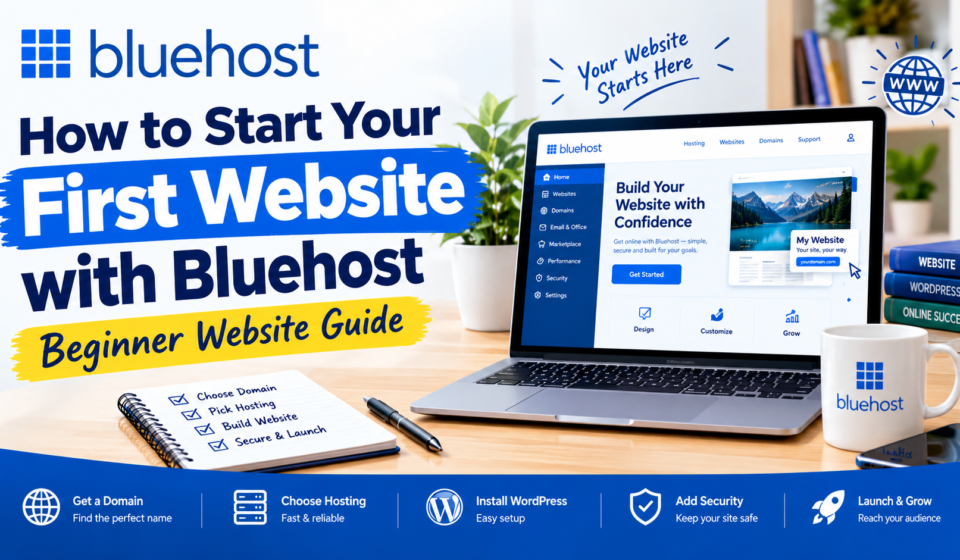
Starting your first website can seem complicated when terms such as domains, hosting, WordPress, SSL, and website builders are new. A practical beginner website guide is mainly about completing the right steps in order: decide what your website is for, choose a domain, select hosting, build the site, secure it, and test it before publishing. Bluehost’s current setup guidance follows a similar process, beginning with a domain and hosting plan and moving into website creation, security, optimization, and launch. Its WordPress hosting also includes tools designed to simplify setup, including AI site creation options and managed WordPress features. This makes Bluehost relevant when you want to build a first website from one hosting account.
Save More on Every Order – Grab the Latest Coupons & Deals:
Step 1: Decide What Your Website Will Do
Before choosing hosting, define your website’s purpose. A blog, portfolio, small business site, personal brand, and online store can have different requirements.
Ask yourself:
- Who is the website for?
- What information or service will it provide?
- What action should visitors take?
This helps you avoid unnecessary features while giving you a clearer plan for your pages and content.
Step 2: Choose a Simple Domain Name
Your domain is the address people use to find your website. Bluehost recommends keeping a domain short, memorable, and easy to type, while avoiding unnecessary numbers or special characters. A relevant word or phrase can help visitors understand the site. Check the spelling carefully before registering and consider whether the name will still fit if your project grows.
Step 3: Choose Web Hosting
Hosting stores your website and makes its files available online. Bluehost currently offers shared, VPS, dedicated, and WordPress hosting. Its beginner guide identifies shared hosting as an option for beginners, while VPS and dedicated hosting provide different levels of control and resources.
For a first website, choose a plan that matches your expected needs rather than the most advanced option.
Step 4: Build Your Website
After choosing hosting, you need a platform for creating pages. WordPress is commonly used for blogs, business websites, portfolios, and online stores.
Bluehost currently provides WordPress hosting with AI-powered site creation tools. Bluehost says these tools can generate website content and layouts from simple prompts. WordPress can also be expanded through themes and plugins.
A simple first site can start with Home, About, Services or Products, Blog, Contact, and Privacy Policy. Keep navigation simple so visitors can quickly understand where to go.
Step 5: Secure and Optimize Your Site
Before publishing, check the technical basics. Bluehost recommends enabling SSL, making sure the website works on mobile devices, improving page speed, and applying basic SEO practices.
Bluehost’s current WordPress Starter plan includes free SSL, a free CDN, managed WordPress updates, weekly website backups, malware scanning, a web application firewall, and DDoS protection. Features vary by plan, so review the package you intend to purchase.
Use strong account credentials, keep WordPress and plugins updated, and remove tools you no longer need.
Step 6: Test Before You Publish
A website can look finished while still having problems. Test navigation, contact forms, buttons, images, links, and mobile layout. Read important pages for spelling and formatting errors.
Check whether the homepage clearly explains what the site offers. Bluehost’s launch guidance recommends reviewing content and design, testing functionality, and then publishing.

What Makes Bluehost Useful for Beginners?
One practical advantage is that several website tasks can be managed from one hosting account. Bluehost provides WordPress setup options, website-building tools, domain services, migration tools, SSL, CDN features, and support resources.
Bluehost says live chat is available 24/7, while phone support is available from 7 a.m. to midnight Eastern Time. Its Help Center provides setup documentation.
Beginners should also compare pricing carefully. Bluehost’s current WordPress pricing shows introductory and renewal rates. For example, the Starter plan is listed at $3.99 per month for a 36-month term and renews at $9.99 per month on that term. Taxes may apply, and plan features differ.
Simple First-Website Checklist
Before launching, confirm that you have:
- A clear website purpose
- A suitable domain
- A hosting plan that matches your needs
- A mobile-friendly design
- Essential pages and navigation
- SSL enabled
- Working forms and links
- Basic SEO settings
- Security and backup features reviewed
- A final test completed
Save More on Every Order – Grab the Latest Coupons & Deals:
Frequently Asked Questions
Can a beginner build a website with Bluehost?
Yes. Bluehost provides beginner-focused setup guidance, WordPress installation options, and website creation tools that can simplify the process.
Do I need coding knowledge?
Not necessarily. WordPress and Bluehost’s website-building tools can be used without writing code for many common projects. Advanced customization may require technical knowledge.
What should I choose first, a domain or hosting?
Start by defining your website purpose and domain idea. Bluehost’s setup process then moves through choosing hosting and building the website.
Does Bluehost provide SSL?
Yes. Bluehost’s listed WordPress plans include free SSL, although exact package features should be checked before purchase.
Is Bluehost suitable for a small business website?
It can be considered for small business sites because Bluehost offers WordPress hosting, website creation tools, domains, security features, and support. The appropriate plan depends on the site’s needs.
Related Resources
For a deeper look at hosting costs and plan differences, read this Bluehost reviews, pricing plans, and 2026 website value guide before choosing a package.
Conclusion
Learning how to start your first website becomes easier when you treat it as a sequence rather than one large technical task. Define your purpose, choose a clear domain, select suitable hosting, build essential pages, secure the site, and test everything before publishing. Bluehost brings many of these services and beginner tools together, making it worth exploring if you want a WordPress-focused hosting setup. Review current plan details and renewal pricing, then visit the official Bluehost website to choose an option that fits your website goals.