Table Of Content
- Save More on Every Order – Grab the Latest Coupons & Deals
- Why Protecting Your Connection Matters
- How NordVPN Fits Remote Website Work
- Key Features to Consider
- What a VPN Does Not Replace
- Pricing and Plan Considerations
- Pros and Cons
- Save More on Every Order – Grab the Latest Coupons & Deals
- Frequently Asked Questions
- Is NordVPN useful when managing a website remotely?
- Can NordVPN protect multiple devices?
- Does a VPN replace two-factor authentication?
- Can I use NordVPN for a business team?
- Is NordVPN available on laptops and phones?
- Related Resources
- Conclusion
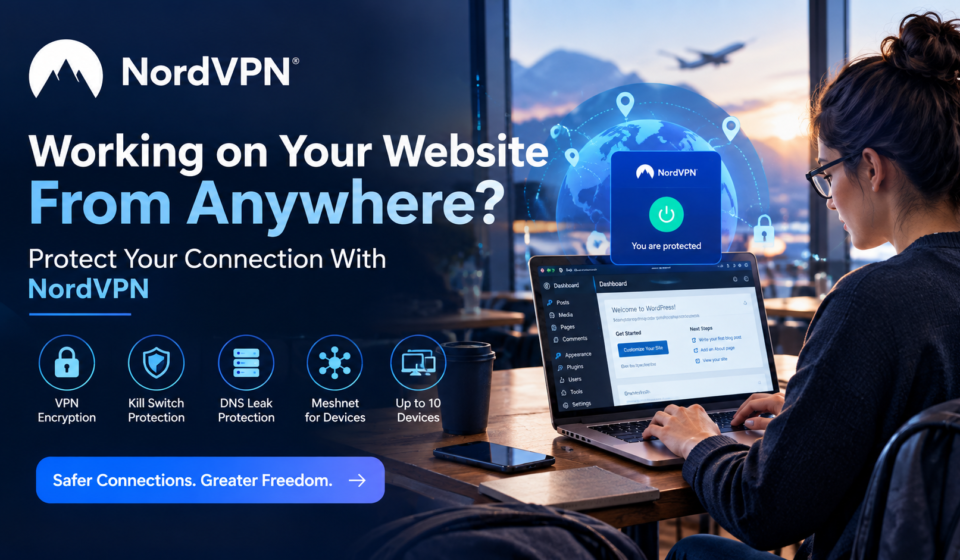
Working on your website from anywhere sounds convenient, but convenience should not mean ignoring connection security. Remote website management often means signing into WordPress, hosting dashboards, analytics platforms, email accounts, cloud storage, or client systems from networks you do not fully control. That makes remote work security an important part of a practical website workflow. A VPN can add a layer of protection by encrypting internet traffic between your device and the VPN server. NordVPN offers features such as encrypted VPN connections, a kill switch, DNS leak protection, multiple protocols, and support for up to 10 devices. These tools can be useful when your work moves between home, coworking spaces, hotels, airports, or other networks.
Save More on Every Order – Grab the Latest Coupons & Deals:
Why Protecting Your Connection Matters
A secure website workflow involves more than protecting the website itself. Your laptop, Wi-Fi connection, accounts, browser, plugins, and remote-access methods can all affect your overall security.
When you manage a website remotely, you may handle administrator credentials, customer information, business documents, or unpublished content. Using an untrusted network can introduce additional privacy concerns. A VPN does not make every part of a workflow secure, but it can help protect traffic while it travels across the internet.

CISA recommends keeping VPNs and remote-access devices patched and using multi-factor authentication on VPN connections where applicable. That highlights an important point: connection protection works best as one layer in a broader security routine.
How NordVPN Fits Remote Website Work
NordVPN is designed for individual users who want a private VPN connection across supported devices. Its current feature documentation lists DNS leak protection, an automatic kill switch, and protocols including NordLynx, OpenVPN, IKEv2/IPsec, and NordWhisper.
For someone managing a website from different locations, these features have practical uses. DNS leak protection is designed to keep DNS requests from escaping outside the VPN tunnel. The kill switch can cut internet access when the VPN connection drops, reducing the chance of traffic continuing without the VPN. NordVPN also supports up to 10 simultaneous device connections under one account.
The service also includes Meshnet, which can create a private encrypted network between supported devices. That may be useful when your workflow includes secure file sharing or connecting to another personal device.
Key Features to Consider
VPN encryption: Encrypting traffic can help protect information moving between your device and the VPN server.
Kill switch: If the VPN connection unexpectedly drops, the kill switch can prevent internet access until the protected connection is restored.
DNS leak protection: This feature helps keep DNS requests inside the VPN tunnel.
Multiple protocols: NordVPN supports several protocols, giving users different connection options depending on device and network requirements.
Meshnet: Meshnet can connect supported devices through a private encrypted network and is designed for uses such as file sharing and remote access.
Up to 10 devices: A single NordVPN account can connect up to 10 devices at the same time.
What a VPN Does Not Replace
A VPN is not a substitute for securing the website itself. Website owners should still use strong, unique passwords, multi-factor authentication, current software, reliable backups, limited administrator access, and reputable hosting and security practices.
If you manage a team or need centralized access to company resources, NordVPN’s own support documentation points business customers toward NordLayer, its separate business-focused solution. NordLayer is designed for team management and secure remote access to company networks.

Pricing and Plan Considerations
NordVPN’s official pricing page currently lists Basic, Complete, and Prime plans with pricing that varies according to the subscription term. The page currently shows introductory pricing, renewal pricing, and a 30-day money-back guarantee. Because promotional and renewal prices can change, checking the official pricing page before subscribing is the most reliable way to confirm the current cost.
For an individual website owner, freelancer, or remote worker, the relevant question is not simply whether a VPN is available. Consider how often you work away from trusted networks, how many devices you use, and which additional privacy or security features you actually need.
Pros and Cons
Potential advantages:
- Encrypted VPN connection for remote work.
- Kill switch and DNS leak protection.
- Support for up to 10 devices.
- Multiple VPN protocols.
- Meshnet for private device connections.
Things to consider:
- A VPN does not replace website security controls.
- Some advanced security features depend on the selected plan.
- Business teams may need NordLayer instead of a consumer VPN account.
- Introductory and renewal pricing can differ.
Save More on Every Order – Grab the Latest Coupons & Deals:
Frequently Asked Questions
Is NordVPN useful when managing a website remotely?
It can add a layer of connection privacy by encrypting VPN traffic, particularly when working from networks you do not fully control.
Can NordVPN protect multiple devices?
Yes. NordVPN currently supports up to 10 simultaneous device connections on one account.
Does a VPN replace two-factor authentication?
No. A VPN protects the network connection, while multi-factor authentication helps protect the account itself. Using both addresses different parts of the security workflow.
Can I use NordVPN for a business team?
NordVPN directs business customers to NordLayer for team management and secure remote access to company resources.
Is NordVPN available on laptops and phones?
NordVPN provides apps for major desktop and mobile platforms, including Windows, macOS, iOS, and Android.
Related Resources
For a broader look at the service, including pricing, safety, and features, see the NordVPN reviews, price, safety, and full 2026 guide.
Conclusion
Working on your website from anywhere can be productive, but your connection deserves attention too. A VPN can provide an additional privacy and security layer for remote website management, while features such as a kill switch, DNS leak protection, multiple protocols, and device support can make that protection practical. NordVPN is one option to evaluate, but it should be combined with strong account security, updates, backups, and sensible website administration. If those needs match your workflow, explore the current features and pricing on the official NordVPN store before choosing a plan.