Table Of Content
- Save More on Every Order – Grab the Latest Coupons & Deals
- Why Public Wi-Fi Security Matters
- How NordVPN Fits Public Wi-Fi Use
- Features That Can Help
- A Safer Public Wi-Fi Workflow
- Pricing and Plan Considerations
- Pros and Cons
- Save More on Every Order – Grab the Latest Coupons & Deals
- Frequently Asked Questions
- Is public Wi-Fi safe for managing a website?
- Does NordVPN protect my data on public Wi-Fi?
- Should I connect to the VPN before logging into WordPress?
- How many devices can NordVPN protect?
- Does NordVPN replace website security?
- Related Resources
- Conclusion
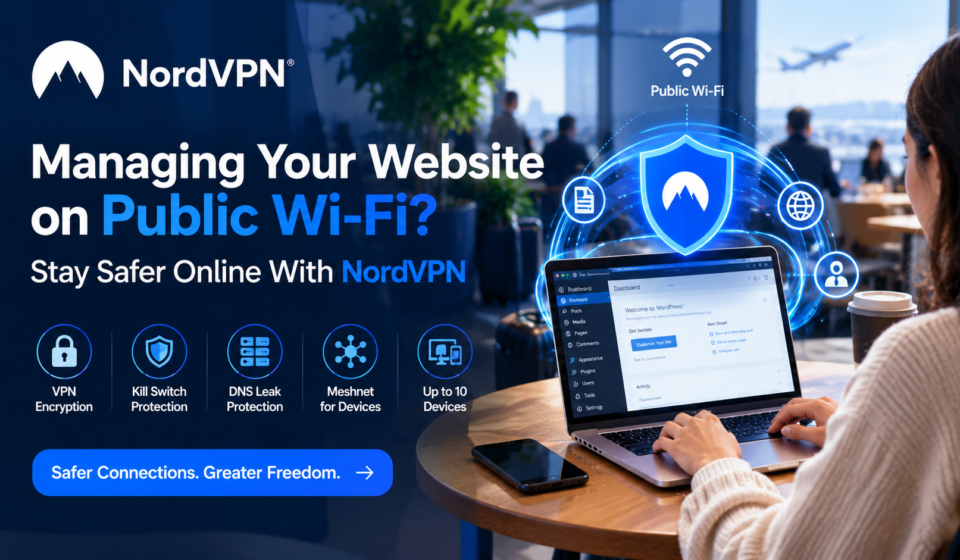
Managing a website from a café, airport, hotel, coworking space, or another public location can make remote work flexible. The main concern is that the network is outside your control. If you log into WordPress, hosting dashboards, business email, analytics tools, or other administrative services over public Wi-Fi, protecting the connection is worth considering. Public Wi-Fi security is not only about avoiding suspicious websites; it is also about reducing unnecessary exposure while data travels between your device and online services. A VPN can add a layer of protection by encrypting your internet connection. NordVPN offers a secure VPN connection along with features such as an automatic kill switch and DNS leak protection.
Save More on Every Order – Grab the Latest Coupons & Deals:
Why Public Wi-Fi Security Matters
Public Wi-Fi is convenient, but it should not automatically be treated as a trusted network. Remote website work may involve administrator credentials, website content, customer information, invoices, or private business communication.
CISA guidance for public spaces recommends using a VPN or another authorized secure-access solution when connecting to third-party networks. It also recommends keeping devices updated and using firewall and malware protection. A VPN is therefore best viewed as one part of a broader security routine rather than a complete replacement for other controls.
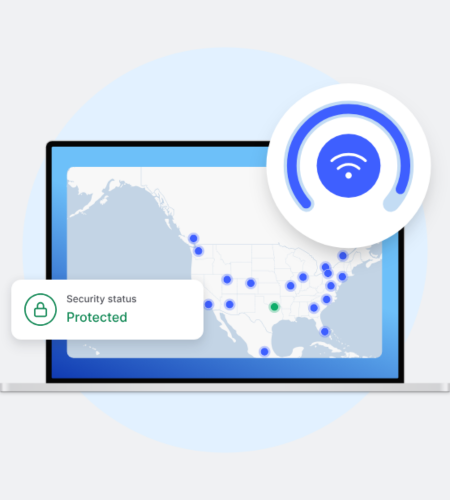
The goal is to reduce avoidable network exposure while keeping the workflow simple.
How NordVPN Fits Public Wi-Fi Use
NordVPN says its VPN encrypts internet traffic and routes it through a VPN server. Its current feature documentation includes DNS leak protection, an automatic kill switch, and support for NordLynx, NordWhisper, OpenVPN, and IKEv2/IPsec.
That can be relevant when you connect to public Wi-Fi before opening a website dashboard. DNS leak protection is designed to keep DNS requests inside the VPN tunnel. The automatic kill switch is designed to cut internet access if the VPN connection drops, helping prevent traffic from continuing outside the protected connection.
NordVPN also states that one account can secure up to 10 devices simultaneously, which can suit remote workers who switch between a laptop, phone, or tablet.
Features That Can Help
VPN encryption: Encrypts your internet connection to help protect online traffic.
Kill Switch: Can block internet access if the VPN connection drops.
DNS leak protection: Helps keep DNS requests within the VPN connection.
Multiple protocols: Supports NordLynx, NordWhisper, OpenVPN, and IKEv2/IPsec.
Multiple devices: Supports up to 10 devices simultaneously.
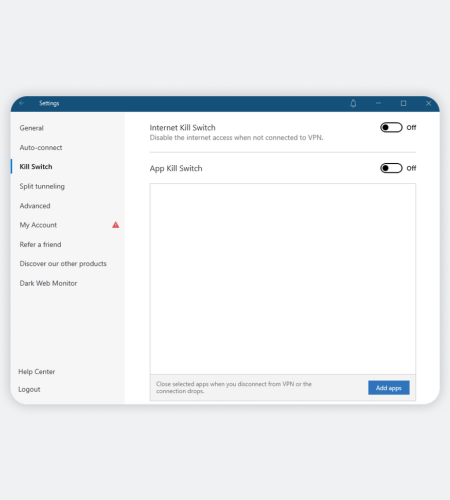
These features protect the connection layer but do not secure your website account by themselves.
A Safer Public Wi-Fi Workflow
If you manage a website from public Wi-Fi, a few habits can strengthen your setup:
- Keep your operating system, browser, plugins, and security software updated.
- Connect to the VPN before opening sensitive work accounts.
- Use strong, unique passwords and enable multi-factor authentication.
- Avoid saving administrator passwords on shared or public computers.
- Verify the Wi-Fi network name before connecting.
- Keep reliable backups of your website and important files.
- Log out of sensitive services when your work session ends.
This layered approach matters because a VPN cannot protect an account from a stolen password, outdated software, or a compromised device.
Pricing and Plan Considerations
NordVPN’s current official pricing page lists Basic, Complete, and Prime plans. Prices vary by billing period, and the page currently shows different introductory prices for monthly, annual, and longer-term subscriptions. It also lists a 30-day money-back guarantee. Introductory pricing can differ from renewal pricing, so checking the official pricing page before subscribing is important.
For a website owner or freelancer, consider how many devices you use and which features you actually need.
Pros and Cons
Potential advantages:
- Encrypted VPN connection on public networks.
- DNS leak protection and an automatic kill switch.
- Up to 10 simultaneous devices.
- Several VPN protocol options.
- Support across major desktop and mobile platforms.
Things to consider:
- A VPN does not replace website security, MFA, backups, or software updates.
- Some additional security tools are tied to higher-tier plans.
- Subscription pricing and renewal rates can change.
- Business teams may need a separate business-focused solution.
Save More on Every Order – Grab the Latest Coupons & Deals:
Frequently Asked Questions
Is public Wi-Fi safe for managing a website?
Public Wi-Fi should not automatically be treated as a trusted network. A VPN, updated device, and MFA can reduce some risks, but no single measure provides complete security.
Does NordVPN protect my data on public Wi-Fi?
NordVPN says its VPN encrypts your internet connection. Its DNS leak protection and kill switch provide additional connection-level protections when the VPN is active.
Should I connect to the VPN before logging into WordPress?
For a security-focused workflow, connecting the VPN before accessing sensitive accounts can help ensure the connection is protected from the start of the session.
How many devices can NordVPN protect?
NordVPN currently states that up to 10 devices can be connected simultaneously with one account.
Does NordVPN replace website security?
No. Website owners still need strong passwords, MFA, updates, backups, secure hosting, and appropriate access controls.
Related Resources
For more details about features, pricing, and safety considerations, see the [NordVPN reviews, price, safety, and full 2026 guide]NordVPN reviews, price, safety, and full 2026 guide.
Conclusion
Managing your website from public Wi-Fi does not have to mean ignoring connection security. A VPN can add a useful layer by encrypting traffic, while features such as a kill switch and DNS leak protection can strengthen the connection layer of a remote workflow. NordVPN is one option to consider if those features match your needs. However, safer public Wi-Fi use also depends on MFA, updated software, strong passwords, backups, and careful account management. Before choosing a plan, review the current features and pricing on the official NordVPN store.